
 Link building
 Guest Posting
 Niche edits
 Profile backlinks
 Crowd links
 Submission links
 Contextual Backlinks
 White-label link building
 PBN Building
 Haro links
 Digital PR
 SEO
SEO
 SEO copywriting
 Google Indexing
 Quora links
 Add to catalogs
 AI SEO
 Reddit

Ever notice how memes and infographics take over the internet? They get copied, embedded into articles, and shared across social media. Every single one of those embeds is a potential link back to your site. That’s the core idea behind image link building.
In this guide, we’re not talking about simple article images. We’re breaking down how to create visual content that other sites want to use. You’ll learn how visual content link building works in practice and why it can be more effective than chasing guest posts.
Why Visual Content is Your Secret Link-Building Weapon
Most people only hunt for links in text. They write articles and pitch publications. It works, but it’s exhausting.
Visual content offers a different path. An infographic, a diagram, a data chart – it’s a ready-made solution for someone else’s problem. It works like this: an editor needs an illustration, finds your image via search, drops it into their article, and cites the source. It’s not a transaction; it’s natural citation.
The numbers back this up. According to HubSpot’s Marketing Statistics Every Team Needs to Grow in 2026, 22% of marketers said shifting from text to visual and audio content was the most effective way to diversify their brand’s content.
How One Image Can Earn Dozens of Links: The Mechanics of Visual Link Building
Here’s how the process plays out:
- You create a solid piece of visual content, like a “Startup Financial Risks” diagram. This is a topic business sites, presentations, and entrepreneurs all need.
- You publish the diagram on your site with solid commentary.
- A blogger writing about startup funding searches for a chart on Google Images and finds yours.
- They download it, upload it to their site, and credit you with a link in the caption.
- Other authors and publications do the same. Each use is a new backlink.
The goal isn’t to beg for links. It’s to create a visual asset so useful that linking to you is the obvious, logical thing to do.
How Image Links Actually Work

Technically, other sites use your images in two main ways:
- Direct Embedding (Hotlinking). Another site displays the image by pulling it directly from your server. You get the server load, but rarely a clickable link in the article text. It’s a weak signal.
- Download & Re-upload with Attribution. This is the gold standard. The author downloads your file, hosts it themselves, and publishes it with a note like “Source: [Your Site].” Sometimes the image itself is linked.
Search engines treat these image backlinks SEO just like normal backlinks. They pass authority and help your rankings.
Passive vs. Active Link Building: The Long Game
Image based link building sets up a system that works for you long-term. It’s crucial to understand the difference between two approaches:
- Active Link Building is a grind. You negotiate a guest post, write it, edit it. Result: one link. Then you start over.
- Passive Link Building works differently. You invest time once to create a killer visual asset – a detailed infographic, a unique diagram, a research-backed chart. You publish and optimize it. The heavy lifting is done.
This is a core method for how to get backlinks from images without constant outreach. Your visual becomes a permanent digital asset that attracts links on autopilot.
What to Create: A Guide to Shareable Image Types
Not every picture is a link-building tool. A random photo or generic chart isn’t worth saving. You need visual content that solves a real problem for a broad audience.
Think complex instructions, fresh data, or relatable emotions. Let’s break down where to focus your efforts to earn backlinks with images.
Infographics That Actually Get Shared: The Success Formula
Infographics are the engine of visual link building. But most infographics are ignored. Why? Because they’re made as blog decorations, not as standalone resources.
Take a crowded topic like “how SEO works.” There are endless articles, but far fewer clear, step-by-step visual guides.
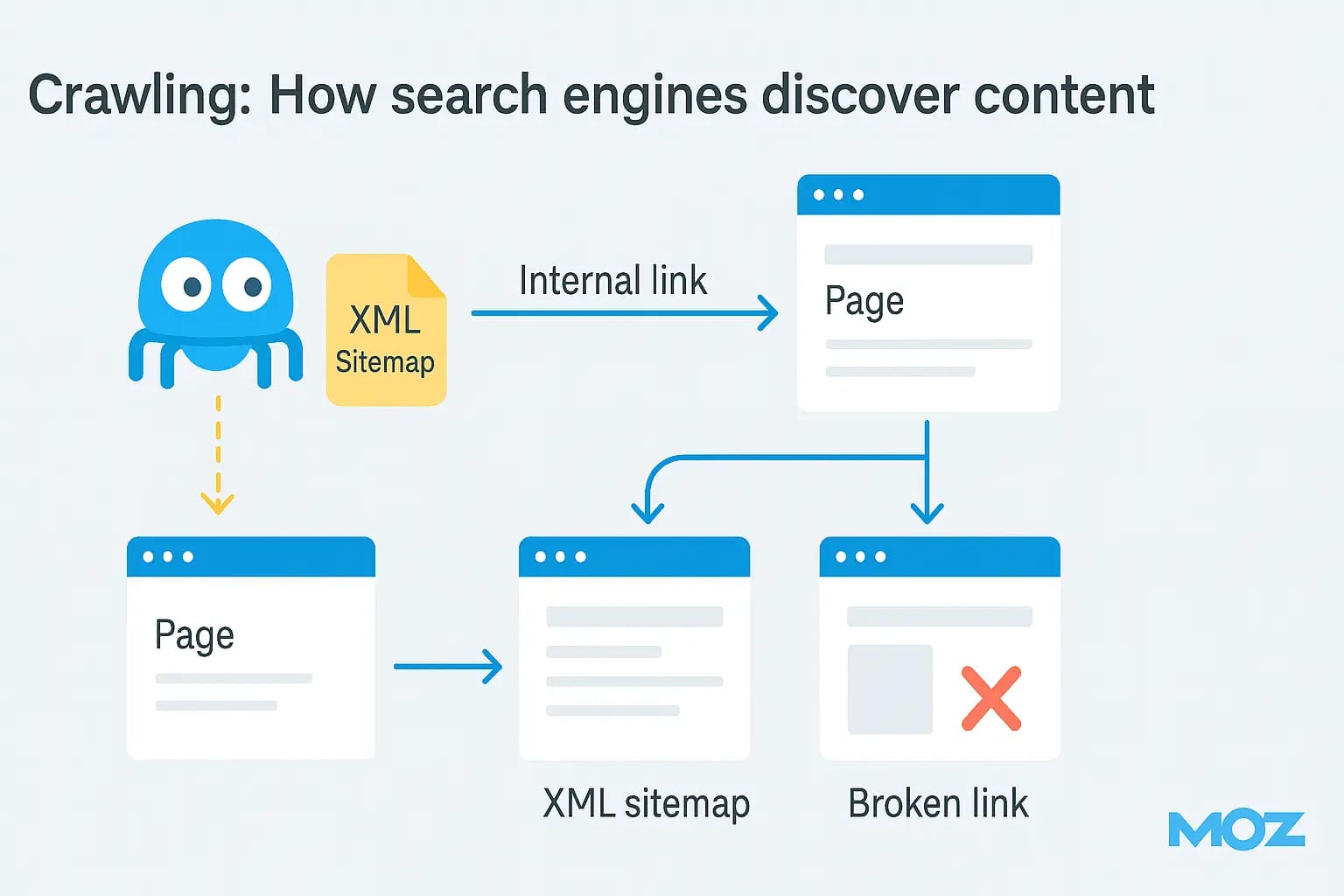
Source: moz.com
Your job is to be that definitive visual guide. Create a flowchart that maps the entire process. That’s something marketers, site owners, and consultants will all want to use.
Here’s the formula for using images for link building with infographics:
-
Relevant and In-Demand Topic. Use tools like AnswerThePublic or Ahrefs Keywords Explorer. Look for "how to…", "why…", "what is…" questions. The answer in the form of a diagram is valued more than text.
-
Clear Structure and Narrative. The infographic should guide the eye from top to bottom or left to right. Logic is more important than design flourishes. Use numbering, arrows, clear groupings.
-
Data and Facts, Not Opinions. Cite authoritative studies, indicate real numbers, reference sources. This increases trust and chances of citation.
-
Technical Readiness for Distribution. Create several versions: a detailed one in high resolution for embedding and a simplified one for social media. Add title and alt attributes with key phrases to the page code. Clearly state terms of use – for example, "free use with mandatory link to source."
Remember: your infographic should be the best answer to a question in visual form. Then it will be used.
The Power of Data: Turning Research into “Viral” Charts
Nobody reads raw data tables. Data visualization bridges the gap between stats and understanding. This type of content goes viral because it gives people a ready-made fact to quote.
Imagine analyzing local housing prices. A 100-row spreadsheet is useless. A color-coded map of the city from “affordable” to “luxury”? That gets picked up by news sites, real estate blogs, and forums instantly.
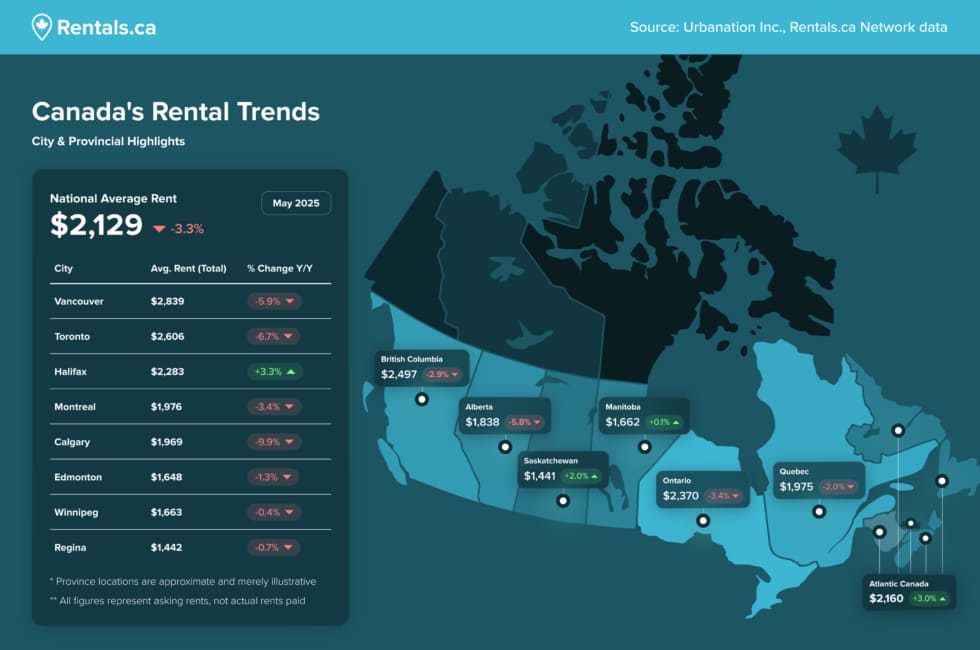
Source – Rentals.ca
Formats that work:
- Interactive Maps. Show geographic data distribution. Suitable for demographic, economic, environmental research.
- Dynamic Graphs and Charts. Show trends: rise or fall of cryptocurrencies, changes in product consumption, popularity of technologies over the years.
- Comparative Scales or "Battles." For example, comparing processor power, car specifications, software functionality in a visual tabular form.
This is a powerful way to build backlinks with images. The main thing is to find or generate a unique dataset. This could be your own survey, aggregation of public data from several sources, or a fresh analysis of open statistics.
The insight has to be non-obvious. A chart saying “ice cream sales spike in summer” is boring. A chart showing “sales jumped 300% after changing one headline word” is a story.
Less Obvious Formats: Stock Photos, Memes & GIFs
These might not seem like serious visual content link building tools. Their power is in volume and emotion. They won’t net dozens of links from one place, but can bring hundreds of mentions from small blogs and forums.
High-Quality, Unique Stock Photos
If you’re a photographer, a lifestyle brand, or have a photogenic product, share high-res shots. Allow free use with attribution.
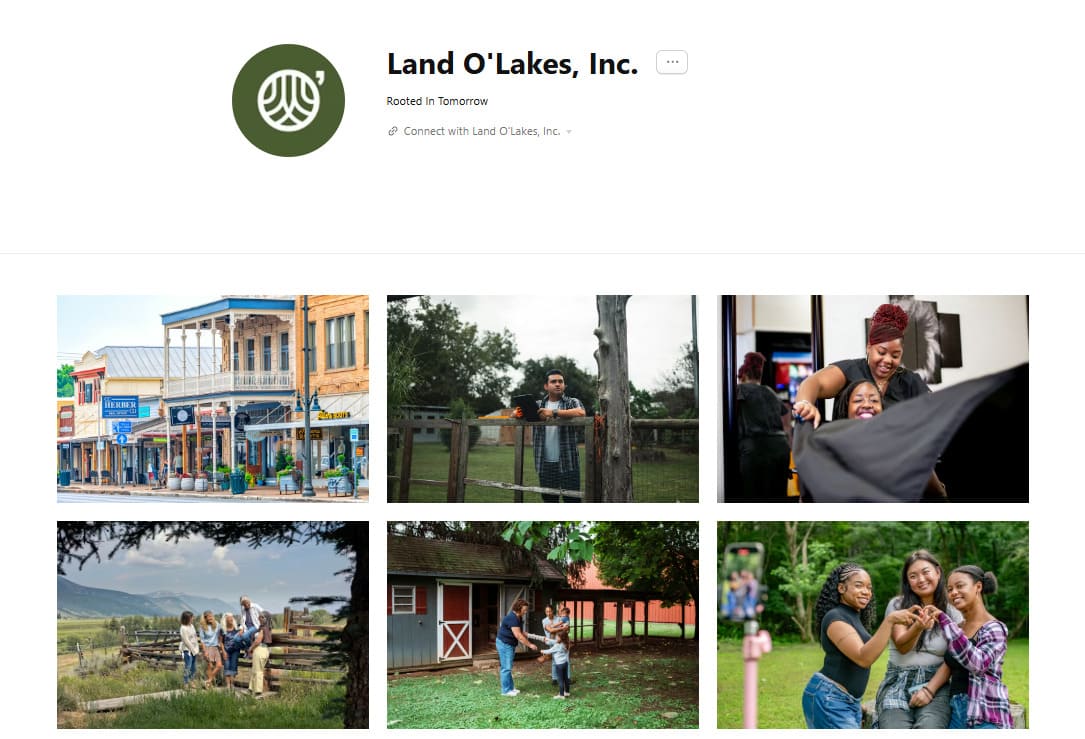
Source: Land O’Lakes on Unsplash
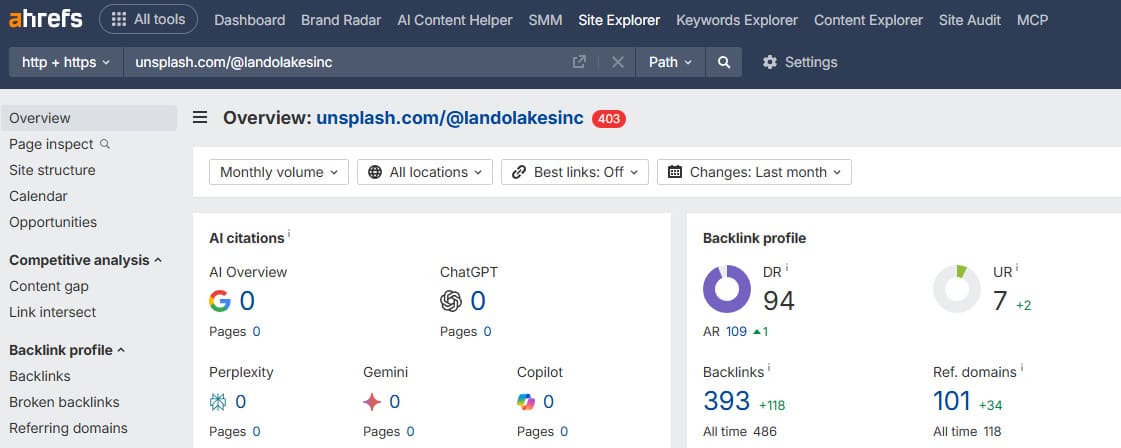
Bloggers, teachers, and presentation creators are always hunting for good free images. Your photos will start appearing in their materials with a link to your site or portfolio. The key is uniqueness of the shot or editing style.
Niche Memes & GIFs
Perfect for tight-knit communities. Create a series of GIFs illustrating typical situations in your field or launch a meme format based on your industry.

Source unknown
Such content is actively shared on social media and embedded in forums. The link to the original source is often lost, but some traffic and mentions remain. This format works for brand recognition and can bring indirect links.
These formats complement infographics. They help you reach people looking for emotion and illustration, not just data.
The Reactive Tactic: Claiming Links You’ve Already Earned
You’ve published great visual content. It’s even starting to spread. But many sites use images without giving credit. The link opportunity exists – it’s just broken.
Actively finding and fixing these mistakes gives you quick wins. You’re turning missed chances into real backlinks. This is core to image outreach for backlinks.
Finding Sites Using Your Images Without Credit
Often sites upload your infographic to themselves but forget to cite the source. Sometimes they use direct embedding from your server. In both cases, you don't get a link.
Correction starts with a search. You can’t manually check the whole web, but tools can:
- Google Reverse Image Search. The free, basic method. Go to images.google.com, click the camera, upload your file or paste its URL. Google shows where it appears online. Good for spot checks, not for ongoing monitoring.
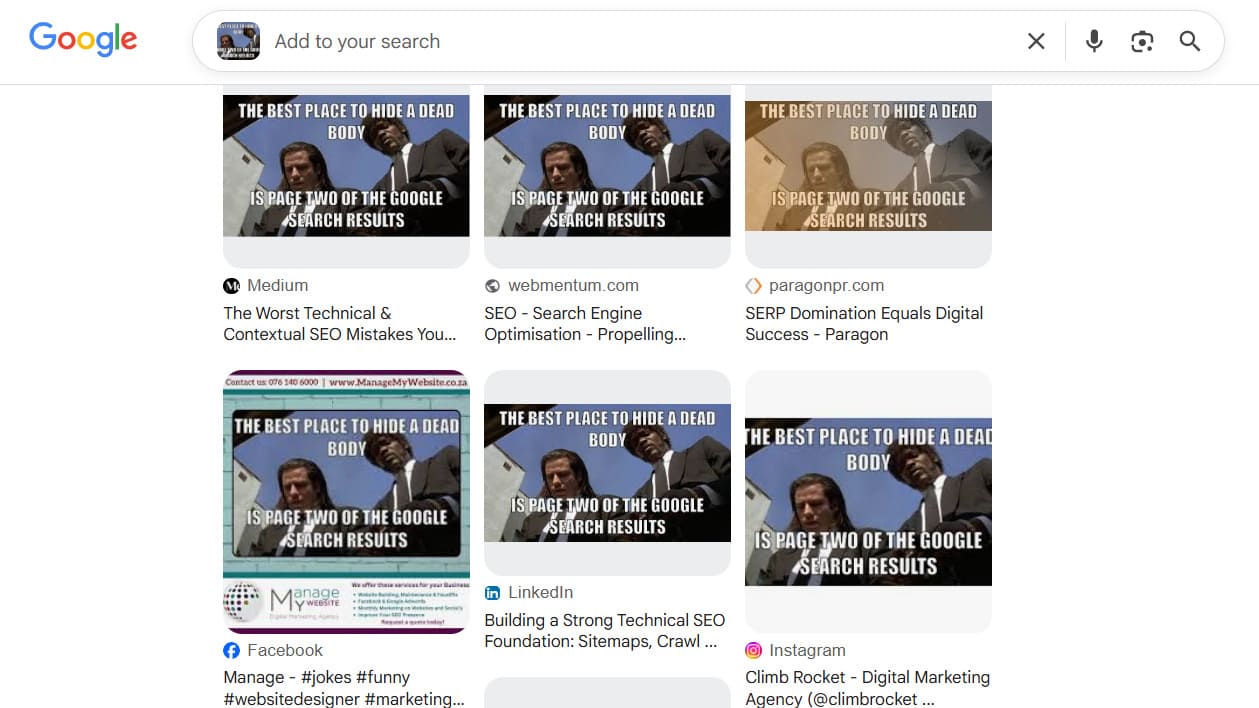
- Dedicated Services. These automate the process.
- TinEye. The veteran. Upload an image, it finds copies, edits, and cropped versions. Great for finding exact matches.
- ImageRaider. Lets you upload multiple images and run scheduled checks. Crucially, it can show if the using page links back to you – essential for image based link building.
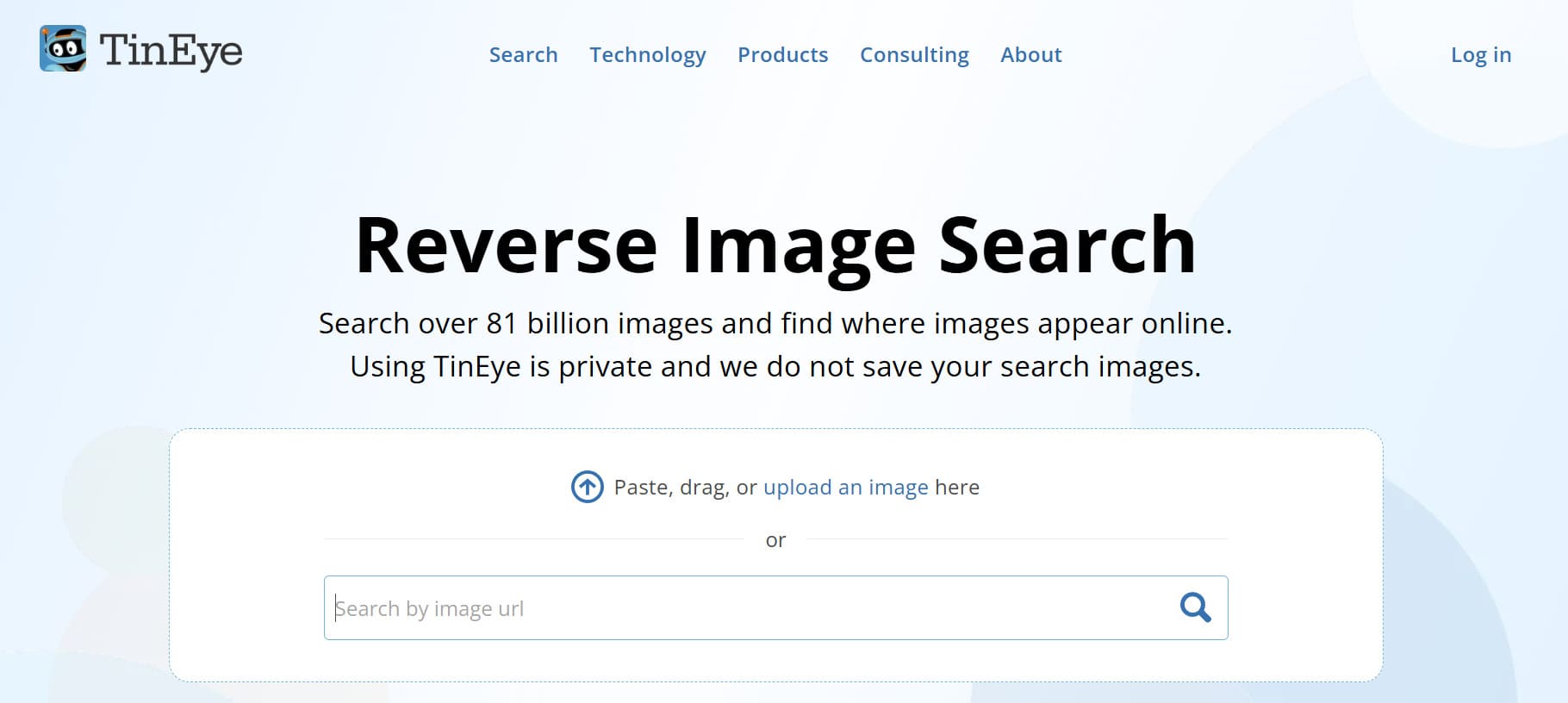
The process is simple: you upload your infographics and key images, the service scans the web and provides a report. In the report, you see URLs of pages with your images.
Now you can analyze each page. Your goal is to find cases where the image is present but a link to you is not.
Fixing Broken or Wrong Attribution
Sometimes it’s worse than no link. The credit is there, but it points to a 404 page, your homepage, or even a competitor. This is common with popular content that gets passed around.
Fixing incorrect links is about cleaning and strengthening an already existing link profile. You regain lost link equity and improve navigation for users.
The algorithm of actions here is clear.
-
Check. Using the report from ImageRaider or TinEye, you click on the found links and see where they lead. If the link is broken or doesn't lead to your image page, it needs to be fixed.
-
Evaluate. Look at the donor site. Assess its topic, traffic, and authority, and decide if it's worth spending time on correction. A blog with 50 monthly visitors can be skipped. An authoritative industry resource is an important target.
-
Act. Contact the site owner. You need not to demand a link but to help correct an error. This approach increases the chances of success.
The Perfect Outreach Email: How to Ask for a Link

The email is the hardest part. A bad pitch gets ignored. A good one gets results.
The main rule: don't write angry demands. Your goal is to show mutual benefit and make the recipient's job easier.
Structure of a working email:
-
Subject Line. Specific and simple. "A small correction regarding the image on your page [URL_page]" or "Question about infographic attribution."
-
Greeting. If possible, find the editor's or article author's name. Use LinkedIn or information in the site footer.
-
Thanks and establishing contact. "Hello, [Name]. Thank you for using our infographic in your article about [topic]. It's very valuable to us."
-
Pointing out the problem – softly. "We noticed a small technical detail. Unfortunately, the source link leads to [describe the problem: broken link, homepage, someone else's site]. Because of this, your readers won't be able to find the original with more detailed information."
-
Proposing a solution – ready-made. "We would be grateful if you could correct the link. Here is the correct URL to the page with the original: [your_direct_URL]. This way readers will immediately see the full data."
-
Closing. "Thank you again for your interest in our work. We are happy to answer any questions."
Do not attach any files to the email. Do not ask for reciprocal favors. You are helping to improve someone else's content by fixing an error. This approach turns a request into collaboration.
This is the core tactic for how to get backlinks from images post-publication. You’re not waiting; you’re collecting what you’ve already earned.
The Proactive Strategy: Creating “Must-Cite” Visual Content
The proactive approach is how you build a lasting image based link building system. We’ve covered claiming lost links. Now, let’s talk about creating assets that get cited intentionally.
The goal is to make your content so valuable that citation is the obvious choice. It’s about becoming a source, not just asking for one.
The TRUST Formula: A Blueprint from Idea to Impact
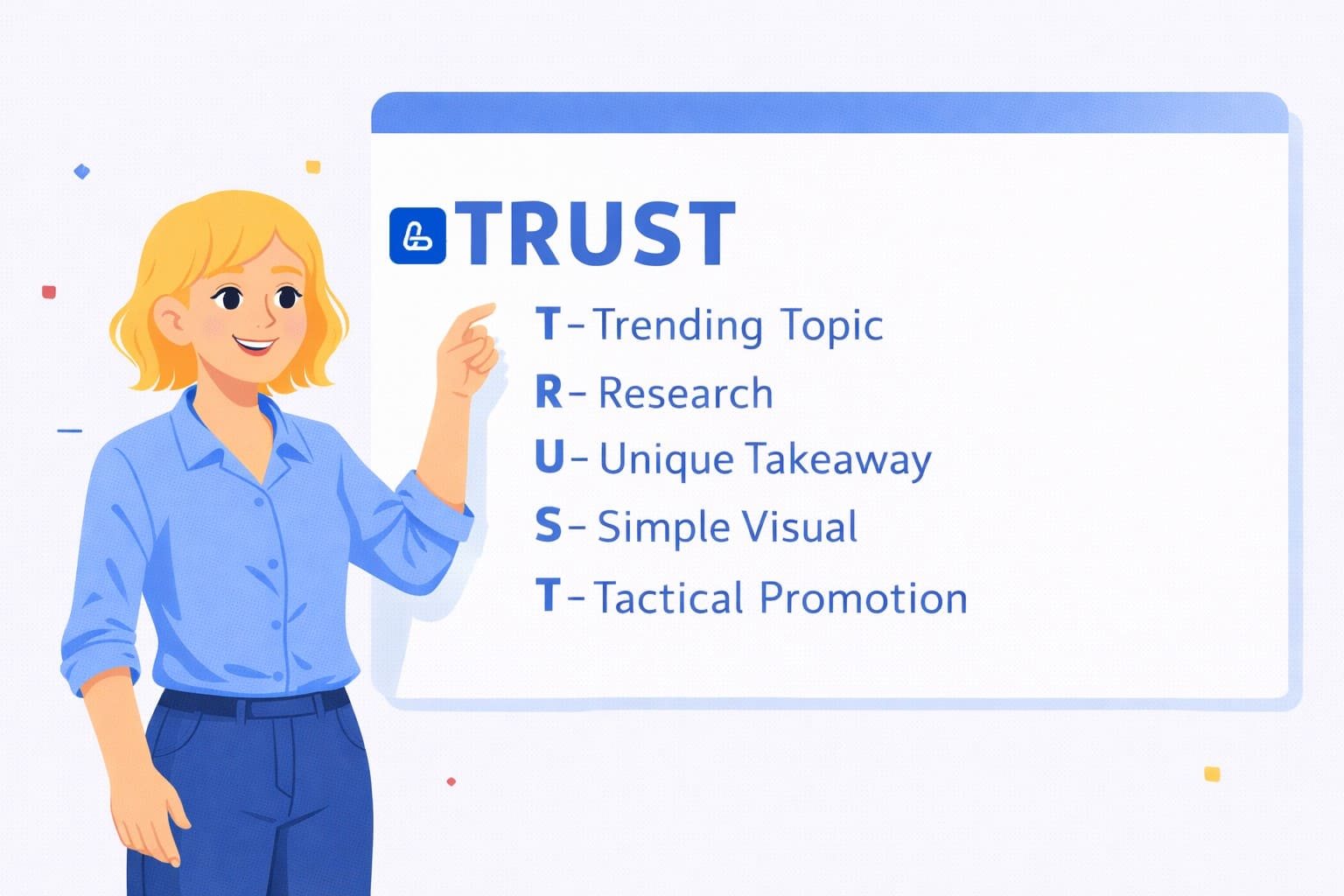
Creating viral content shouldn't be a guessing game. Use a systematic approach with the TRUST formula so each step increases the chances of success.
-
T – Trending Topic. Look for topics already interesting to your audience. Don't reinvent the wheel. Use Google Trends, AnswerThePublic, analyze topics of popular articles in your niche via Ahrefs. The goal is to find queries like "how to make...", "why does... happen", "what is better…". These are the questions the audience is looking for clear answers to.
-
R – Research. Depth determines value. Use data from authoritative studies, official statistics, data from your own survey, or aggregation of information from several verified sources. Your infographic should become the endpoint in the search for information on the topic. People share content they find useful and valuable.
-
U – Unique Takeaway. Your main task is not just to visualize data but to draw conclusions from it. Find a pattern, show a non-obvious correlation, formulate a provocative but substantiated thesis. It is this insight that will make authors say: "Look what they found out!" and cite you.
-
S – Simple Visual. Complex information needs to be broken down into easily digestible fragments. Don't overload the graphics. Choose one main visualization type: a compelling chart, a clear flowchart, an illustrative map. Use contrasting colors and readable fonts. Remember: your goal is to explain, not to impress with design complexity.
-
T – Tactical Promotion. Creating content is only half the job. You need to "launch" it correctly. Publish not just an image but a full-fledged article with analysis. Then promote the visual through appropriate channels: LinkedIn for B2B, Pinterest for infographics, Twitter for discussing data. Show the content first to opinion leaders in your topic.
This turns one-off projects into a repeatable system for link building with infographics.
Finding Ideas & Creating Share-Worthy Visuals
The image link building strategies doesn't require immediate serious investment. Test it on existing materials and evaluate the first results. If the approach proves effective, you can scale it.
The main thing is not just to draw a picture but to create a visual asset that solves someone's problem. Here’s how:
Start with a Real Question
The idea for a visual often lies on the surface. Look at what problems in your industry are currently being discussed most often.
For example, one persistent trend is the topic of remote and hybrid work. Companies are looking for optimal models, and employees are seeking a balance between flexibility and engagement.
Use these tools to dig deeper:
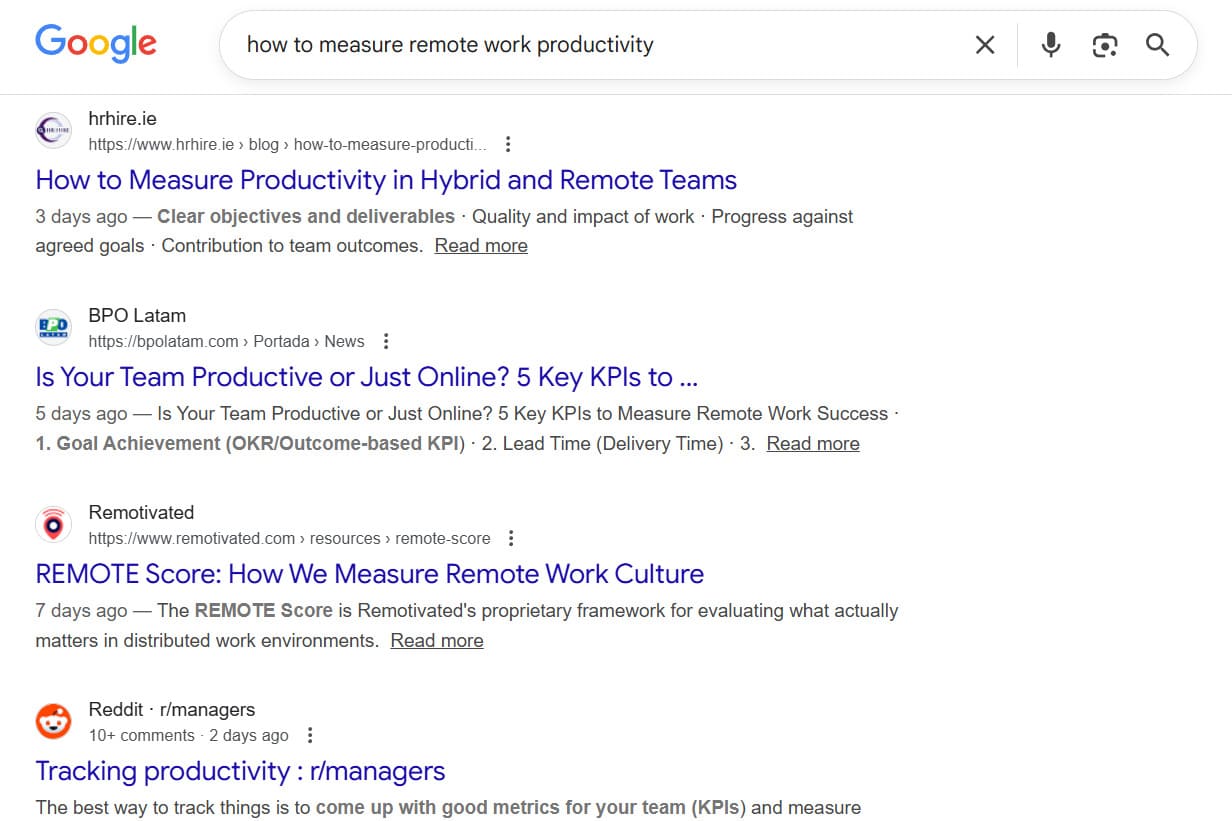
- Search Intent. Google queries like “how to measure remote work.” Filter for recent results to see current discussions.
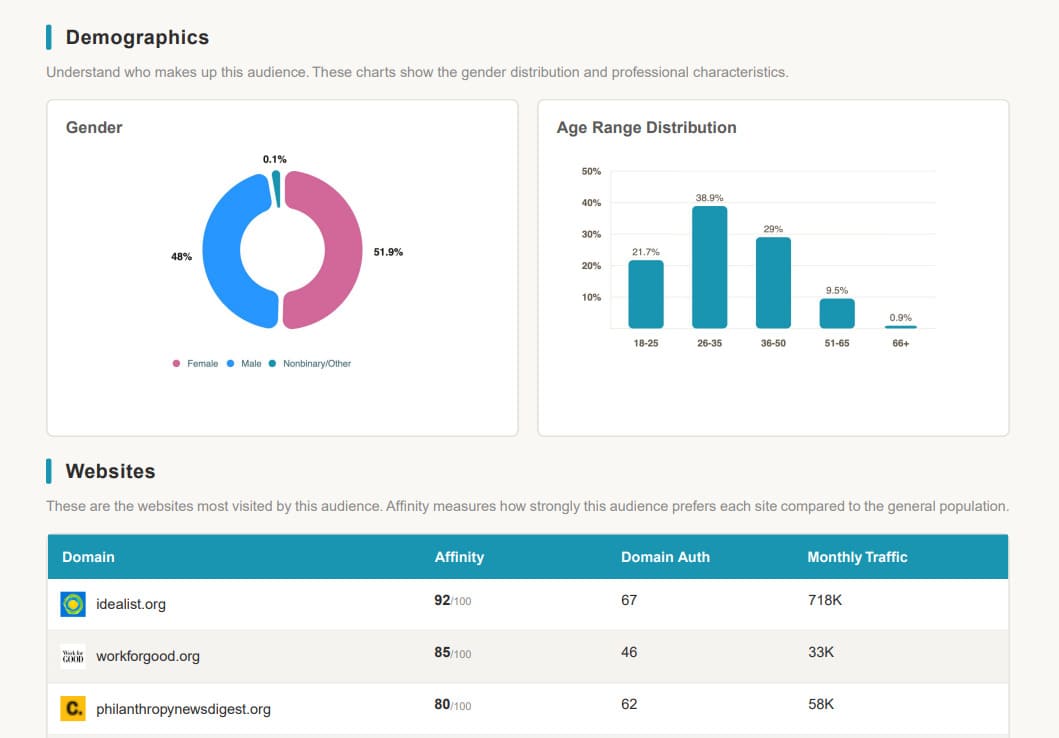
- Audience Insights. Tools like SparkToro show who’s talking about a topic and where, helping you target your visual.
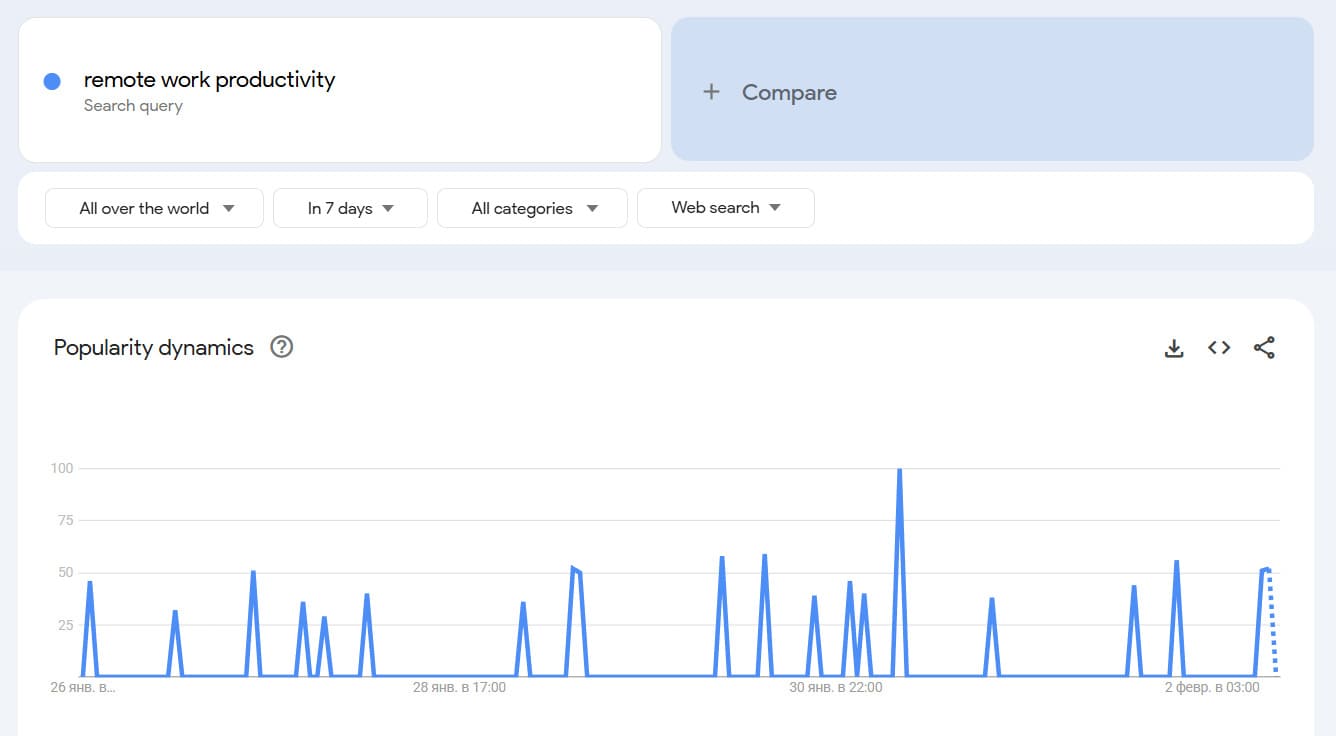
- Trend Analysis. Google Trends or BuzzSumo show if a topic is heating up or cooling down, timing your publication right.
See What’s Working for Competitors
Your goal is to understand which formats are already generating link equity. Use specialized services.
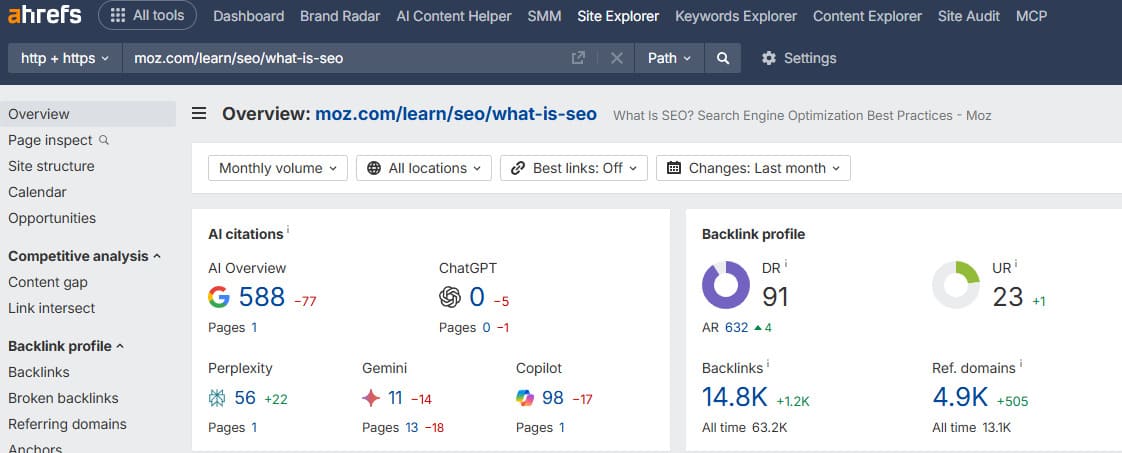
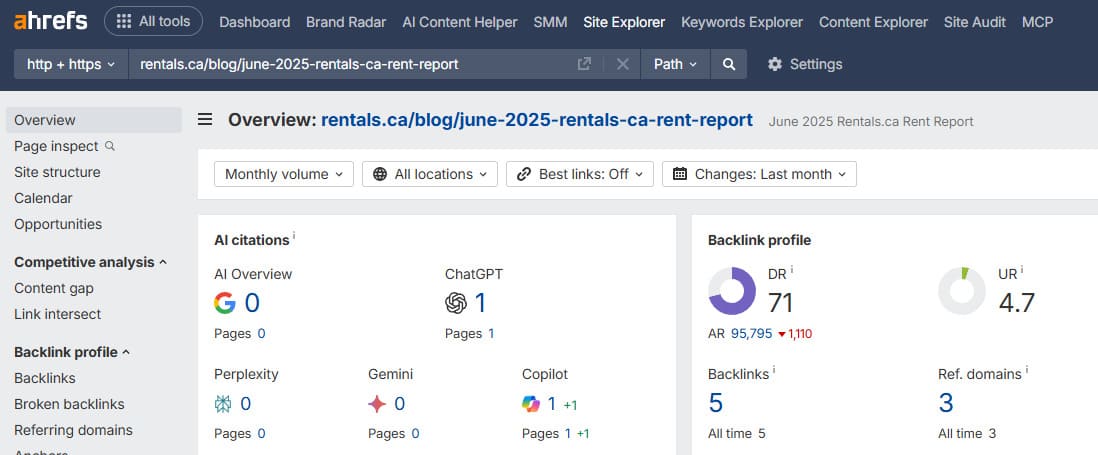
For example, in Ahrefs or Semrush, go to analyze a key competitor's backlink profile. Apply a filter, leaving only links leading to URLs that contain ".png", ".jpg", or "/infographic/".
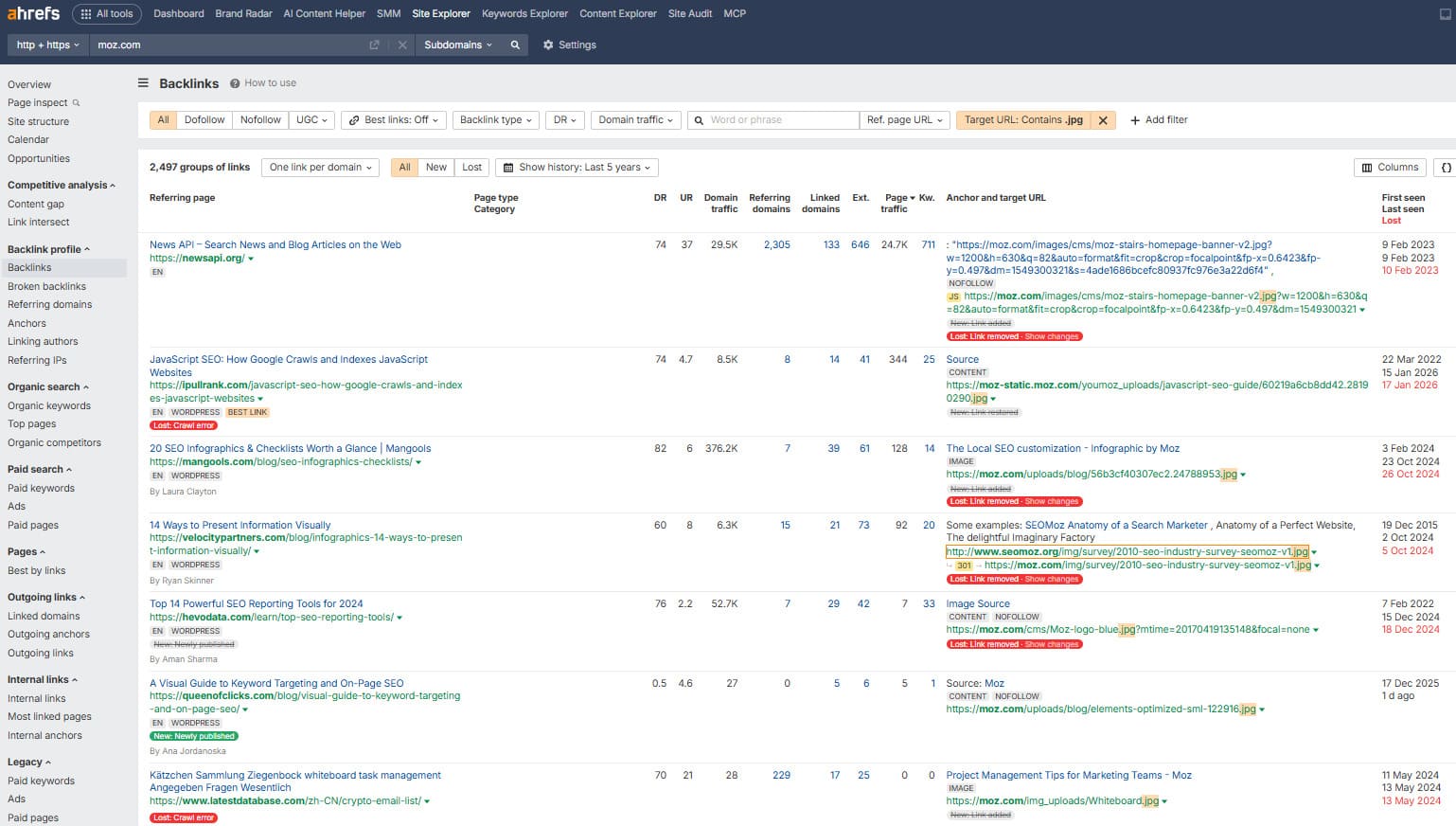
This will show which specific visual materials have become a source of backlinks for them. Often, it’s not the most complex graphic – it’s the clearest explanation of a common process.
An example of such a link – an article on iPullRank links to a clear Moz diagram.
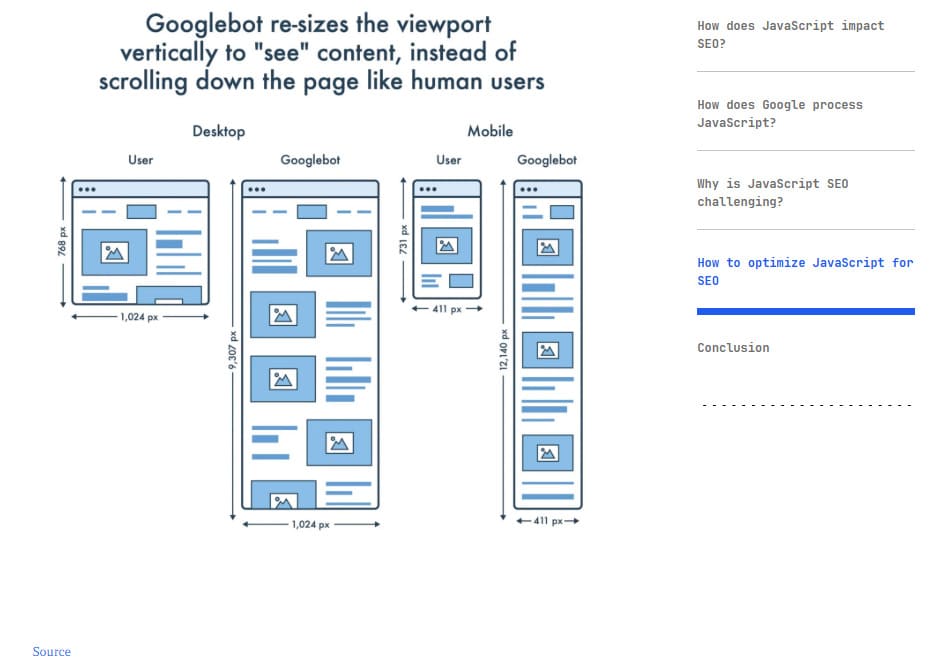
Source: moz.com, ipullrank.com
Curate Public Data into a New Story
Conducting exclusive research isn't always advisable. It's often more effective to become a data curator. Your task is to find, compare, and visualize information from a new angle.
Suppose you work in project management. Instead of conducting your own survey, gather data from three or four recent reports from authoritative sources (e.g., PMI, Gartner). Find contradictions or a common trend in them that no one has yet articulated, and build a narrative for your infographic around that.
Build the Final Asset
If you have internal resources or skills, use professional editors. The key to success lies not in design complexity but in clarity of presentation.
For complex projects, consider collaborating with freelancers on platforms like Toptal, Upwork, or Behance, where you can find specialists in infographics or data visualization.
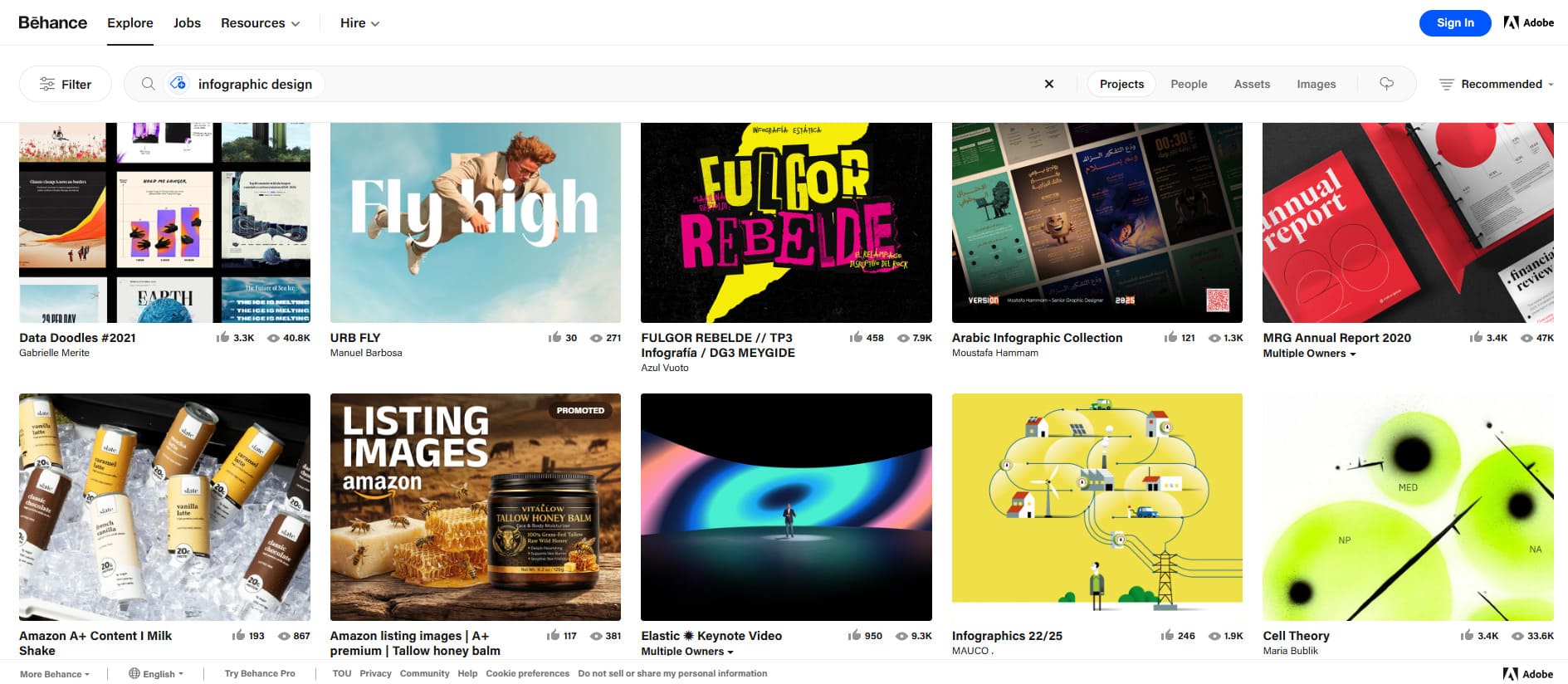
The main thing is to give the contractor a clear technical specification based on the previous stages of work: a relevant query, analysis of successful formats, and a prepared data package with a key insight.
Prepping Your Content for Success: The Source Page
The page where your infographic lives is the foundation for all future links. If it's poorly done, authors won't want to link to it, or the link will lose value.
-
Strong Headline (Title and H1). The headline should be specific and promise value. Use numbers and clear wording. Example: "Growth Map: How IT Salaries Have Changed Over 5 Years (2026 Study)" works better than "Infographic on Salaries." Place the key phrase closer to the beginning.
-
Context and Decoding. Don't just throw an image into empty space. Write introductory text explaining why the topic is important. Below the graph, provide a textual decoding of the key takeaways. This helps SEO and provides additional content for citation.
-
Technical Image Preparation.
-
Create several versions: a main one in high resolution (for embedding) and a preview for social media.
-
Fill in the image attributes (alt and title) with a clear description including keywords.
-
Clearly state the terms of use. For example, place text next to the infographic: "You are free to use this infographic on your website provided you include a direct link to this page as the source."
-
-
Sharing and Embedding Buttons. Add social buttons. For advanced users, you can create ready-made embed HTML code that already contains a link back to you. This makes the process as easy as possible for a blogger.
You’re making it a no-brainer to link to you. This is how you consistently get backlinks from images.
Targeted Pitching: Getting Your Visual in Front of the Right People
Pitching is not spam mailing. It's a targeted value proposition to a person whom your content can genuinely help in their work.
The algorithm for targeted pitching:
-
Selecting a Target. Look for specific pages and articles where your visual would be an excellent addition. Ideal candidates are overview articles, guides, materials with subtitles like "Infographic" or "Diagram," which already use others' images.
-
Personalization is the Key to Everything. In the email, immediately show that you've studied the recipient's work. "Hello, [Name]. I read your article about [topic] and would like to offer a diagram that would perfectly complement your section on [specific point]."
-
Offer a Solution, Don't Ask for a Favor. Your tone should be that of a helper, not a petitioner. "We've created a detailed diagram that visually shows the process described in your article. I think it will help your readers understand the topic faster. You can use it for free; here's the direct download link."
-
Make the Next Step Easy. Attach a link to the ready page with the infographic and a direct link to the high-quality image file. The fewer actions required from the editor, the higher the chance of success.
You can not only complement old content but also become the basis for new content. Here's how it works:
-
Track Intentions, Not Just Facts. Use services like HARO (Help a Reporter Out), where journalists look for experts and data for upcoming articles. Monitor the social media of bloggers and editors: sometimes they ask their audience what to write about next, where to find information on a topic, or talk about planned materials.
-
Become the Basis for an Idea. If you see an author planning material on trends in your niche, offer them not just a comment but a ready-made infographic with data. For example: "Hello! I saw your request for materials on the EdTech market. We have a fresh study with an infographic on investment growth by region. It could be an excellent foundation or visual addition for your future article. Happy to provide exclusive data."
-
Offer a Complete Package. Your advantage is a ready-made visual. State that you provide not only numbers but also their professional visualization, which can be embedded into the article immediately. This saves the author days of work.
-
Create Mutually Beneficial Relationships. This approach positions you as an expert and a valuable partner, not a petitioner. The author gets unique content for their article; you get a quality link in a promising piece. This is the foundation for long-term collaboration.
This approach requires attention and speed, but its effectiveness is maximum. It's the foundation of professional outreach link building.
Professional Link Building with LinkBuilder.com
These strategies take expertise, time, and process. If you need results but lack the bandwidth, professionals can handle it.
At LinkBuilder.com, we specialize in white-hat link building for sustainable authority growth. No spam. Just quality, relevant, natural links.
Our process:
- Strategy & Audit. We analyze your site and competitors to build a custom plan.
- Asset Creation. We help craft visuals and content that attract media and bloggers.
- Professional Outreach. We build real relationships with editors, leading to placements in quality content.
- Quality Focus. We secure links on authoritative, relevant sites with real traffic.
Working with us is an investment in a link profile that drives traffic for years. Want a strong backlink profile without the grind? Contact us. Let’s make visual content link building a growth engine for your business.
Technical Setup: Making Your Images SEO-Friendly
Great visuals are step one. If search engines and users can’t find or understand them, you’ve missed the point.
Proper technical setup ensures visibility and makes citation easy. Skip this, and even the best infographic fails at image SEO backlinks.
Nailing the Basics: Alt & Title Attributes
Alt and title attributes are text descriptions of your image. They are usually invisible to the average user but are critically important for SEO and accessibility. This is your direct communication channel with the search robot.
-
Alt Attribute (Alternative Text). This describes the content of the image. The Google robot doesn't "see" the picture; it reads the text in alt. This attribute is also read by screen readers for visually impaired users. Filling rules:
-
Be specific. Describe what exactly is depicted. Not just "graph," but "chart of Company X's sales growth by quarters 2025."
-
Include keywords naturally if they describe the content. For example, for a coffee infographic: alt="Infographic: how to choose the roast level of coffee beans - light, medium, dark."
-
For decorative pictures, you can leave alt empty (alt=""), but for meaningful content, this is a mistake.
-

- Title Attribute (Tooltip). Shows on hover. Less critical for SEO, but improves user experience.
- Use for a slightly fuller description: “Infographic: The Complete Coffee Roasting Guide.”
Doing this right is step one to ranking in Google Images and earning image backlinks SEO.
Schema Markup: Speaking Google’s Language
Schema.org markup is a code vocabulary that tells search engines exactly what your content is. For unique visuals, it’s a game-changer.
It lets you say, “This isn’t just an image; it’s an infographic by this author, published on this date.”
Relevant schema types for visual link building:
- ImageObject. The core type. Specify the image URL, author, date, description.
- VisualArtwork. Great for unique infographics/illustrations. Add genre, material.
- CreativeWork. A broader type to specify license and usage terms.
This structured data helps Google index and value your content correctly.
Files & Folders: Staying Organized
How you name the file and where you place it affects SEO and analytics. Chaos in structure hinders tracking the effectiveness of your image link building.
-
File Names. Don't use names like "IMG_0234.jpg" or "img1.png." The file name is another signal for the search engine. Use clear, descriptive names in Latin characters, separating words with hyphens.
-
Bad: infographic.png
-
Good: growth-salary-it-market-2025-infographic.png
-
-
Logical Folder Structure. Organize images into folders by type or project. This improves server navigation and aids analysis.
-
Example: /images/infographics/seo/, /images/research/2026/, /images/team-photos/.
-
-
Direct and Trackable Links. When you offer someone to use your image, provide a direct link to the high-resolution image file. To track embeddings from your server (hotlink), configure .htaccess (for Apache) rules that allow embedding only from trusted domains or add a referrer. To analyze downloads and embeddings, use UTM tags in links to the source page or services like ImageRaider for monitoring.
A clear technical base makes the entire process predictable and measurable. You know exactly which images are working, where image backlinks are coming from, and how to optimize resources further.
The Tool Stack: Create, Track, and Promote
A visual link building strategy requires the right set of tools. They save time, improve content quality, and turn chaotic opportunity searches into a manageable process.
In this section, we'll break down three categories of tools: for creating visuals without designer skills, for tracking the use of your images online, and for targeted content promotion to the right audience.
Design Tools for Non-Designers
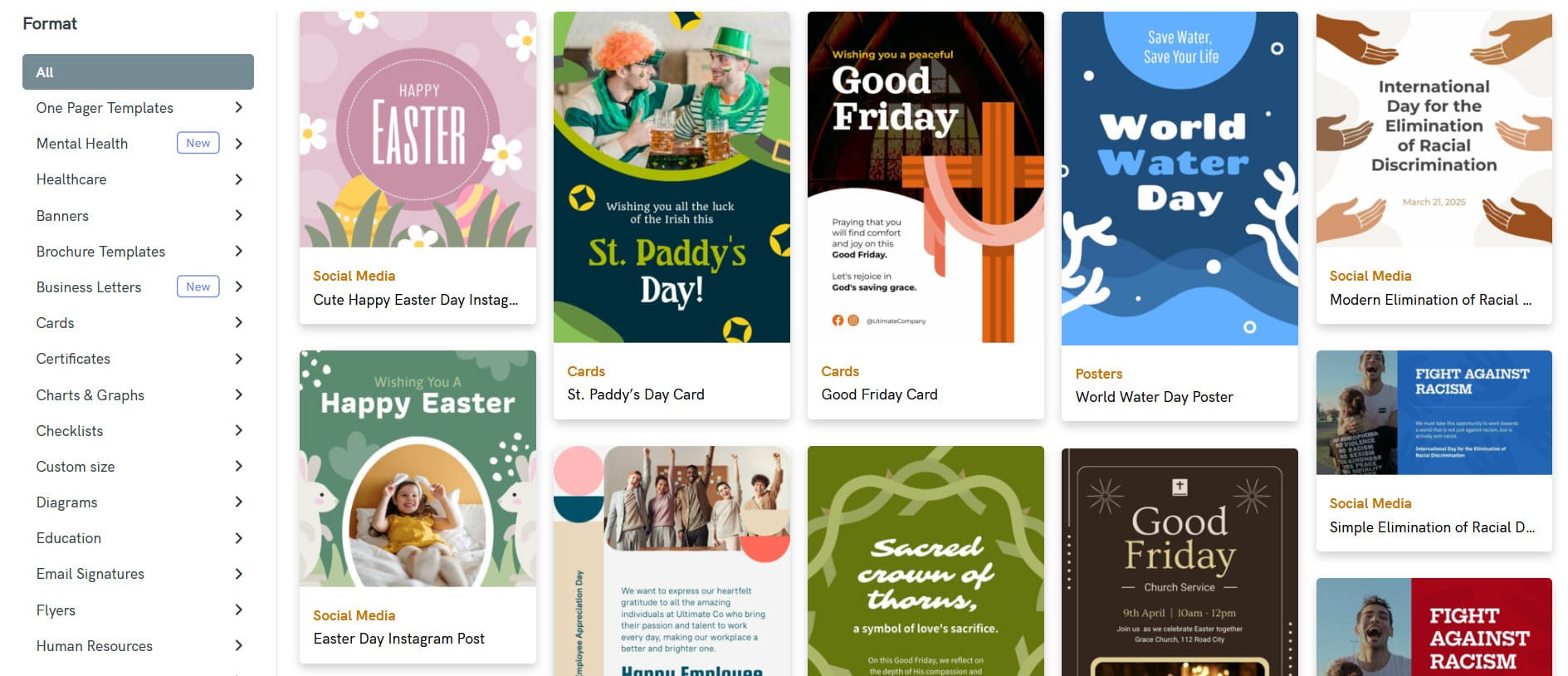
You don't need to be a professional designer to create infographics, diagrams, and presentation graphics. Modern online tools offer intuitive interfaces and ready-made templates.
-
Canva. This is the most popular and accessible tool for non-designers. It contains thousands of professional templates for infographics, presentations, social media, and reports. The library of elements (icons, illustrations, photos) is huge, and the drag-and-drop editor allows you to assemble a visual in minutes. The paid version (Pro) unlocks advanced features: brand kit (uploading your own fonts and colors), background removal, and an extended library of stock photos.
-
Adobe Express. A lightweight and free version of the powerful Adobe suite, created for quick work. An excellent choice if you need more advanced control over design than in Canva but without the complexities of the full Photoshop version. Integrates well with other Adobe services.
-
Piktochart and Venngage. These platforms are created specifically for infographics and data visualization. They offer more structured templates and elements tailored for creating informational graphics: charts, maps, timelines. Suitable for those who regularly create content based on statistics and research.
-
Figma. Although this is a professional tool for web design and prototyping, its online version and ease of collaboration make it an excellent choice for teams. You can create a shared set of components for all infographics (e.g., branded blocks, color palettes), ensuring style unity for the entire brand.
How to choose? Start with the free versions of Canva or Adobe Express. If your work is focused on data, test Piktochart. For team work on complex visual projects, consider Figma.
Image Tracking & Monitoring Services
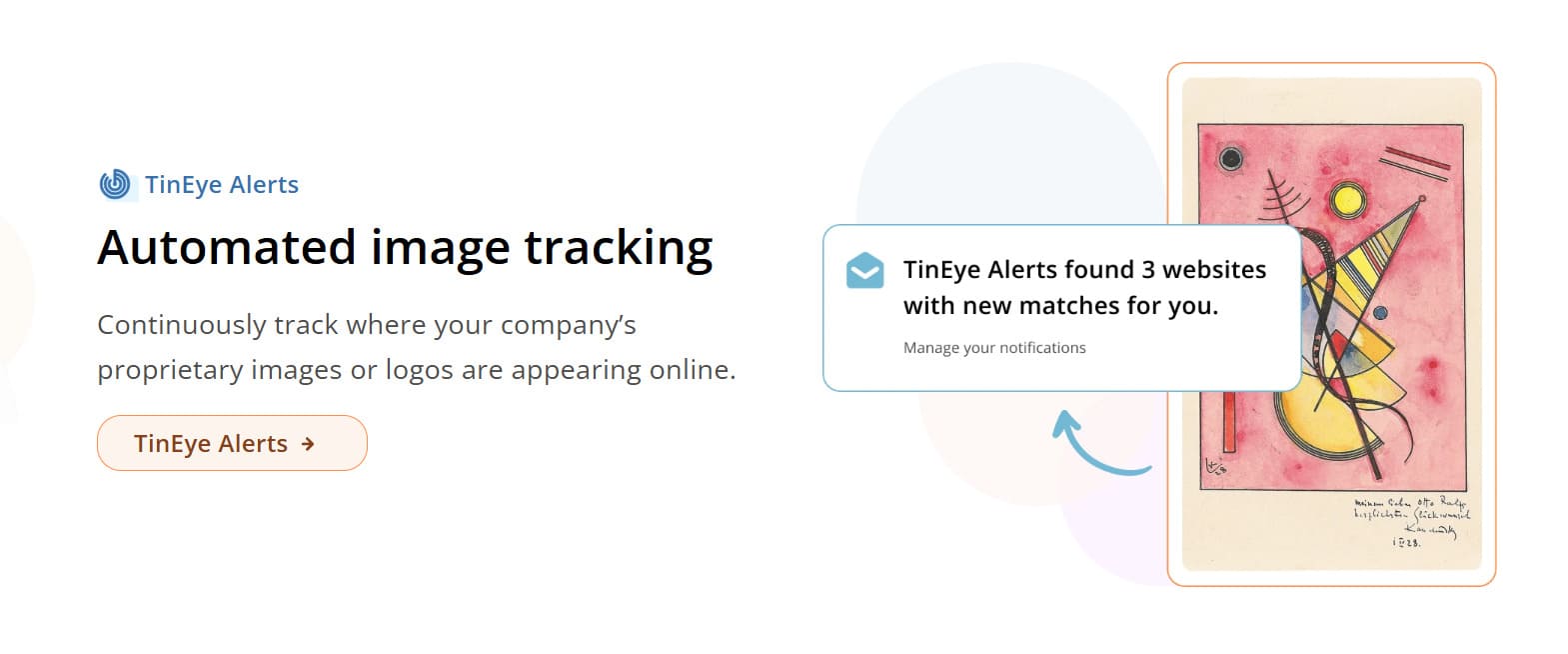
Finding sites that use your images without a link is the foundation of reactive link building. The following services automate this process:
-
Google Reverse Image Search. A basic and free tool. Go to images.google.com, click the camera icon, and upload your image. Google will show pages where it appears. Good for one-time checks but inconvenient for constant monitoring of multiple images.
-
TinEye. One of the oldest and most reliable reverse image search services. Has an extensive index and finds even modified, cropped, or edited versions of your pictures. Useful for copyright protection and tracking the most exact copies.
-
ImageRaider and Pixsy. These services are built for professional monitoring. You upload a portfolio of key images, and they automatically scan the web and send reports. ImageRaider is convenient because it can show whether the page where the image was found contains a link to your domain. Pixsy goes further and offers legal assistance in cases of copyright infringement, which can be useful for commercial photographers and brands.
-
Ahrefs and Semrush. SEO platforms also help with tracking. In Ahrefs, there is the Brand Radar tool for this, which monitors brand mentions, including in the context of visual content. In Semrush, a similar function is performed by Brand Monitoring. They are less specialized than ImageRaider but convenient if you already use these platforms for comprehensive SEO.
Strategy: Use Google Reverse Image Search for one-time checks, ImageRaider and TinEye – for regular automatic monitoring of key infographics.
Outreach Tools: Finding Contacts & Managing Pitches

When you've found a site using your image without a link, or want to proactively offer your content to editors, the outreach stage begins. These tools will help find contacts and establish communication.
-
Hunter.io and Snov.io. Specialize in finding email addresses. Simply enter a site domain, and the service will find public addresses associated with it, often with the name and position indicated.
-
Pitchbox and BuzzStream. These are full-fledged platforms for managing outreach campaigns, originally created for link building. They help manage all stages of communication: create personalized email templates, build sending sequences, automatically track responses, and set tasks.
-
LinkedIn Sales Navigator. Indispensable for finding and connecting with specific people: editors, journalists, bloggers. Allows precise filtering of audiences by industry, position, company, and other parameters. Use it to research a person before sending a pitch to add maximum personalization to the email.
How to build the process:
-
Finding Targets: Through Ahrefs or manually find sites for which your visual would be relevant.
-
Finding Contacts: Use Hunter.io to find the email of the responsible editor or author.
-
Preparation and Sending: In Pitchbox or BuzzStream, create a campaign, prepare a personalized email template, and set up the sending sequence.
-
Establishing Contact: For closer interaction with key opinion leaders, find them on LinkedIn Sales Navigator.
The choice of tools depends on the scale and budget of your tasks. To start, you can get by with a combination of Canva (creation), ImageRaider (monitoring), and Hunter.io (contact finding). For professional teams and agencies, the optimal stack would be: Figma/Canva + Ahrefs/Semrush (Brand Monitoring) + Pitchbox.
Measuring Success & Avoiding Common Pitfalls
Creating visual content is only half the work. The second half is analyzing its effectiveness and understanding why some materials "take off" while others go unnoticed. The right system of metrics turns your efforts from a creative experiment into a manageable strategy, and analyzing mistakes allows you not to repeat them.
What to Track: From SEO Signals to Real Traffic
Look beyond just “number of links.” Effectiveness is measured at several levels: technical parameters, SEO impact, and real marketing results.
Key metrics can be divided into three groups:
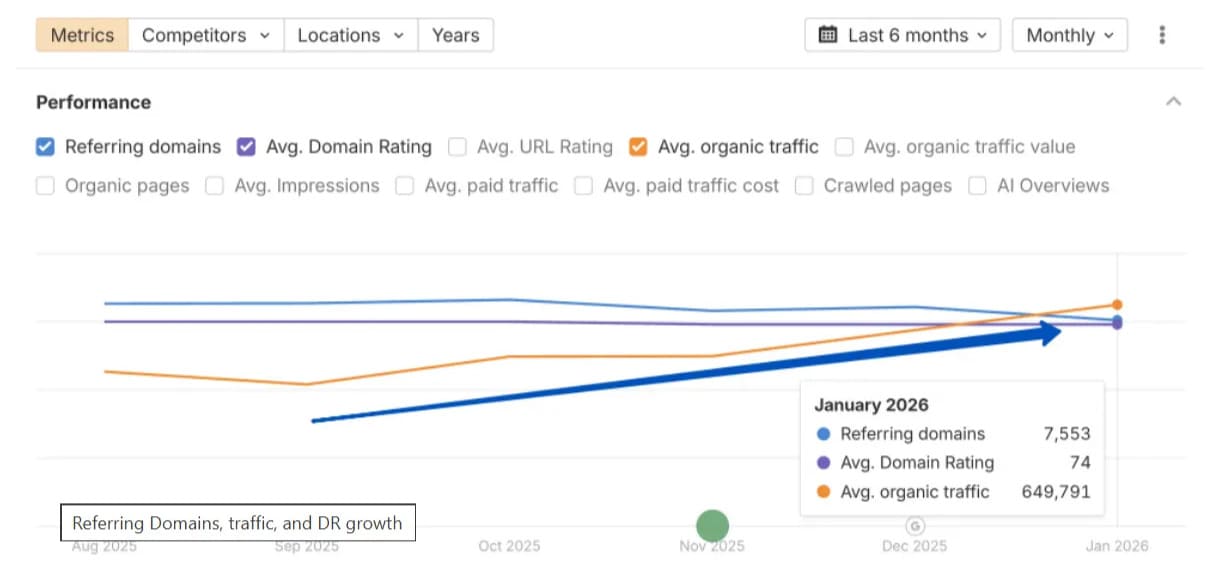
- Link Profile Health. Track Domain Rating (DR) of linking sites, link type (follow/nofollow), and link churn (links lost). Use Ahrefs’ DR metric as a guide.
- Referral Traffic & Engagement. The main indicator of content usefulness is whether it attracts a live audience. Look at the dynamics of traffic from referral sources, time on site, pages per session, and bounce rate. To precisely determine which image and which site the traffic came from, use UTM tags to mark links.
- Brand Metrics and Business Results. The ultimate goal is not just links but business growth. Pay attention to the increase in direct visits to the site and brand name searches – these are signs of growing recognition. For commercial projects, it's important to track conversions (leads, sales) coming from referral traffic and calculate ROI (Return on Investment).
This shows if your image link building strategies work for both search engines and real business goals.
Top 5 Mistakes That Kill Your Infographic’s Potential

Even with a large budget and effort, an infographic can fail due to typical mistakes. Here are the five main reasons for failure in visual link building:
-
Creating Content in a Vacuum, Without Audience and Competitor Analysis. The most common mistake is making a visual that interests you but doesn't solve a pressing problem or question of your target audience. It's also fatal to ignore what competitors have already done and repeat their unsuccessful formats.
-
Complexity Instead of Clarity. The task of an infographic is to simplify. If it takes more than three seconds to understand, if the data is overloaded, fonts are small, and the narrative logic is not obvious, it will be ignored. Remember: simple visual (Simple visual) from the TRUST formula is the key to success.
-
Weak Source and Lack of Promotion. Even a brilliant infographic won't get links if it just sits in a blog. The mistake is to publish and forget. The source page must be detailed, with a clear call to share. And the content itself must be actively promoted through outreach and social media.
-
Ignoring Technical Optimization. If the image lacks a descriptive alt attribute, if the file weighs several megabytes and loads slowly, if the page isn't optimized for mobile – you lose traffic from image search and user loyalty.
-
Lack of Unique Insight or "Angle." Visualizing well-known data doesn't generate interest. The mistake is not offering a unique takeaway (Unique Takeaway). Your infographic must provide new knowledge, a non-obvious comparison, or fresh data to become a reason for citation.
By avoiding these pitfalls, you dramatically increase the chances of your visual content being noticed and used.
Time to Build a System
As you can see, successful visual link building is a system. From creating a citable asset and technical setup to competent promotion and deep analysis. Expertise, time, and precision are important at every stage.
If you lack the resources to debug this system yourself but have the goal of obtaining a quality link profile and sustainable traffic, this work is worth entrusting to professionals.
Turn visual content into a reliable growth channel. Reach out to LinkBuilder.com. We’ll handle the complex work of building your authoritative link profile.