 Link building
 Guest Posting
 Niche edits
 Profile backlinks
 Crowd links
 Submission links
 Contextual Backlinks
 White-label link building
 PBN Building
 Haro links
 Digital PR
 SEO
SEO
 SEO copywriting
 Google Indexing
 Quora links
 Add to catalogs
 AI SEO
 Reddit
You’re creating valuable content and optimizing pages to capture your audience’s attention. But for these efforts to deliver maximum impact, your site needs to meet visitors with exactly what they’re looking for.
Picture this: someone searches for a specific answer but lands on a generic overview. Or they want to compare models before buying but only see a price page. Search engines work hard to avoid these mismatches. They’ve learned to understand what is search intent and to rank pages that best satisfy that underlying goal.
Success lies in speaking your audience’s language and anticipating their needs. When you know exactly what’s behind the words typed into the search bar, you can create genuinely relevant content. This improves your rankings, boosts engagement, and helps you hit your business targets.
This article is your guide for search intent SEO analysis. It will show you how to climb to the top of the results, increase relevance, and convert visitors by giving them exactly what they need.
What is Search Intent and Why Does It Matter for SEO?
Imagine Google is a highly attentive consultant in a massive store. You walk in and say, “I need a laptop.” A rookie salesperson might just point to the nearest tech display. A pro will ask: “Are you looking for a laptop for work, for school, for gaming, or to watch movies on the go?”

The first gets you a random guess; the second gets you a solution tailored to your task. This difference between a literal answer and understanding why someone is asking is the core of search intent.
Search Intent Explained Simply
In short, search intent is the “why” behind the query. It’s the user’s goal: to get an answer, compare products, make a purchase, or find a specific site. If your content doesn’t address this “why,” all your optimization is wasted effort.
Consider this: someone searches for “how to sharpen a knife.” They expect a detailed video tutorial or a step-by-step article. If Google instead shows them an online store page selling sharpeners, they’ll close the tab in frustration.
Search intent is the invisible, crucial part of a search: the specific user need you must satisfy. Your job isn’t just to put keywords in text; it’s to create the exact type of content that solves the user’s problem.
How Search Intent Differs from Keywords
Keywords are the “what” a user is looking for. Search intent is the “why.”
- Keyword: “best running shoes.”
- Intent: To compare models, check ratings, and read reviews before deciding.
Search intent gives keywords context. Two identical queries can have different intents. For example, “iPhone 15” could mean “I want to buy” (transactional) or “I want to see the specs” (informational). Understanding this distinction is key to learning how to match content to search intent.
How Search Engines Figure Out User Intent
Search engines, Google in particular, have become sophisticated “mind readers.” They analyze tons of data to infer intent:
- Analyzing history and behavior: They look at past searches, clicks, and time spent on sites.
- Evaluating SERP and user signals: If most people clicking a query choose a video, Google learns that video content fits best. A high bounce rate signals a page isn’t meeting expectations. This shows how search intent affects SEO ranking through user behavior.
- Using machine learning (RankBrain, BERT): These systems analyze whole phrases and context, not just words, to grasp query nuances.
Why is search intent crucial for SEO? Because it’s tied to Google’s main goal: to show the most useful, relevant result. If your content better satisfies the user’s hidden need, the algorithm will reward you.
Breaking Down Intent: The Query Types Every Marketer Should Know
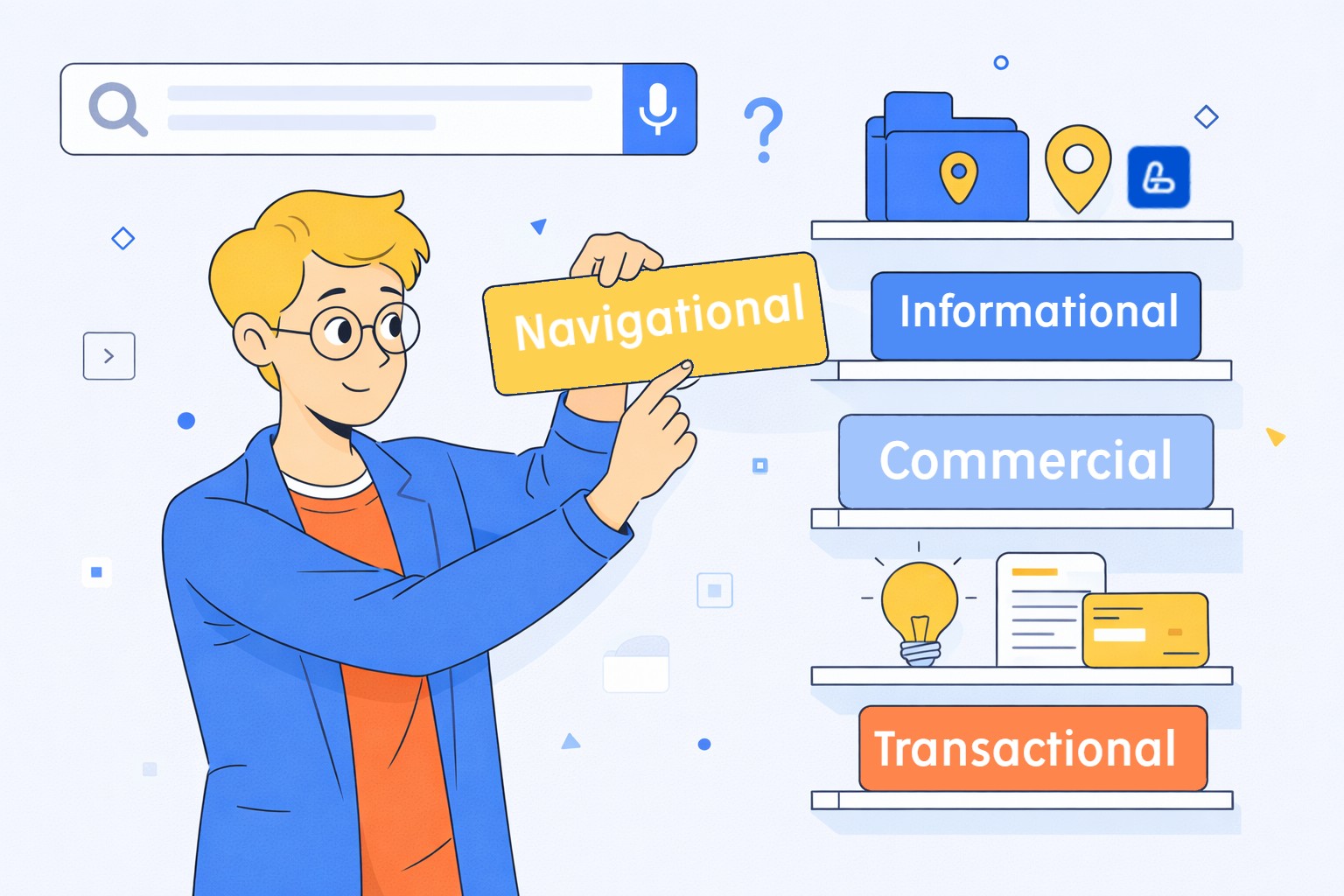
To truly connect with your audience through search intent SEO, you need to learn to “read minds” before a user even lands on your site. Every search query reflects a specific need, situation, and decision-making stage.
Here, we’ll detail the main types of search intent – from someone first exploring a topic to the moment they’re ready to buy. We’ll use clear search intent examples to show how user goals vary and why the same query might need very different content.
Informational Intent: When the User Wants Answers
Here, the user is a researcher. They’re not thinking about buying yet – they want knowledge, explanations, or step-by-step guides to solve a problem. These queries often create the first touchpoint with a brand, sitting at the top of the sales funnel.
The user might be a complete beginner or someone tackling a new task. Give them the best answer here, and you become a trusted authority.
How to Spot Informational Intent:
- Question words: “what is,” “how to,” “why,” “when,” “can I.”
- Learning cues: “guide,” “tutorial,” “tips,” “reasons,” “mistakes,” “examples,” “step-by-step,” “for beginners.”
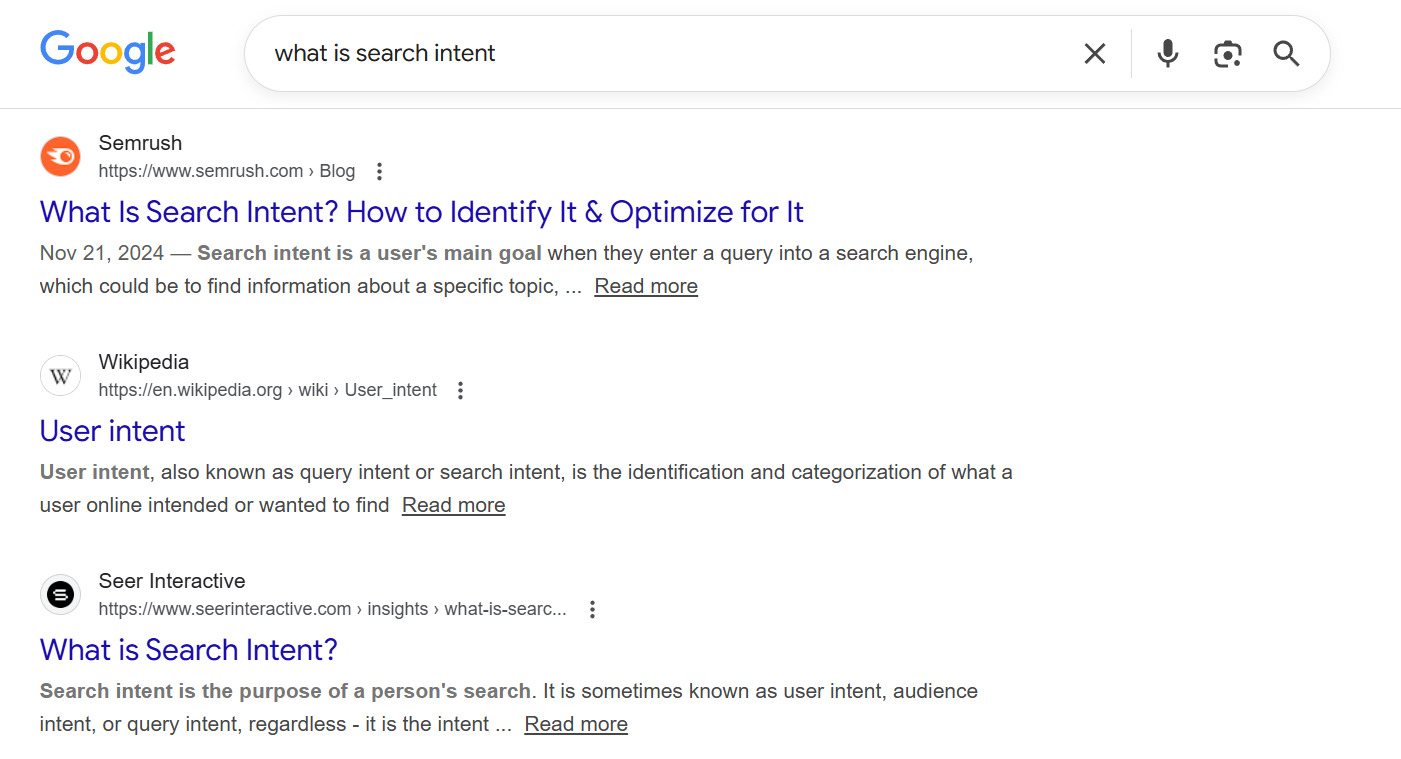
- Example queries: “what is search intent”, “how to bake a sponge cake,” “why do ficus leaves turn yellow.”
What to Create:
Focus on detailed, well-structured, genuinely helpful content. Think:
- Comprehensive expert articles and guides.
- Step-by-step tutorials.
- Educational checklists and how-tos.
- Explainer videos and infographics.
- Blog posts that answer specific questions.
The goal isn’t to sell right away, but to help, build trust, and guide the user toward the next step.
Navigational Intent: Finding a Specific Site or Page
With navigational intent, the user knows exactly where they want to go. They use search as a quick alternative to typing a URL. This is often for brands, services, or specific website sections.
The user isn’t browsing – they want a fast, direct route.
How to Spot Navigational Intent:
- Brand names: Company, product, or platform names.
- Action/place words: “official site,” “login,” “my account,” “support,” “contact us.”
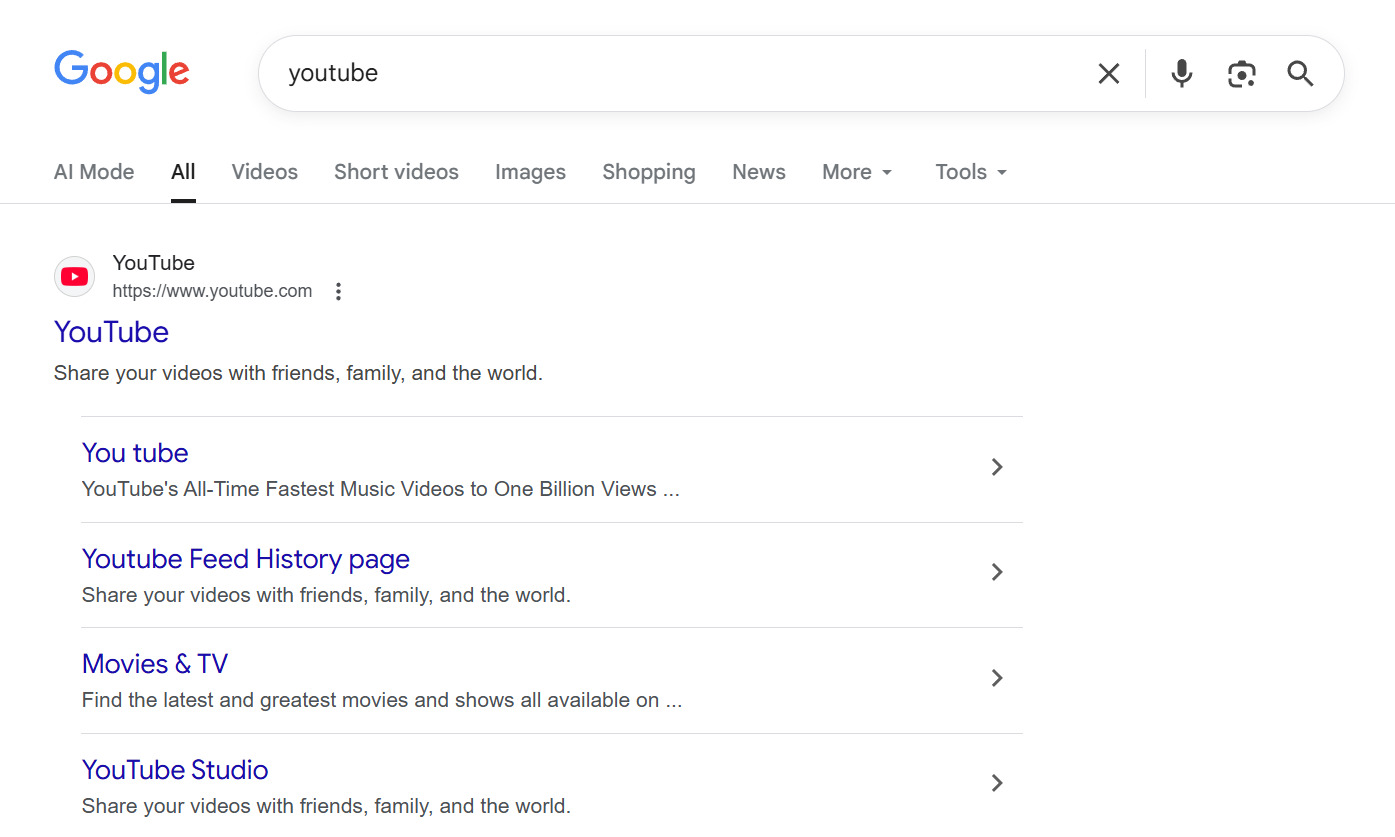
- Example queries: “YouTube,” “Facebook login,” “American Airlines official site.”
What to Create:
If you’re not the brand, competing directly is tough. Your play is to:
- Create helpful content around the brand (“How to use Facebook Ads,” “Troubleshooting login for X service”).
- Target related informational or commercial queries.
For brand owners, this is critical. Ensure:
- Your site is technically sound and fast.
- Your page structure is crystal clear.
- Key pages are easily indexed and load quickly.
Commercial Intent: The Research and Comparison Phase
Commercial intent means the user has a need and is considering a purchase, but they’re still weighing options. They’re comparing products, reading reviews, and looking for the best fit for their budget and needs.
This is highly valuable traffic – the user is just one step from converting.
How to Spot Commercial Intent:
- Comparison/evaluation words: “best,” “top,” “vs,” “review,” “pros and cons,” “rating.”
- Specifiers: “for beginners,” “2026 model,” “budget,” “professional.”
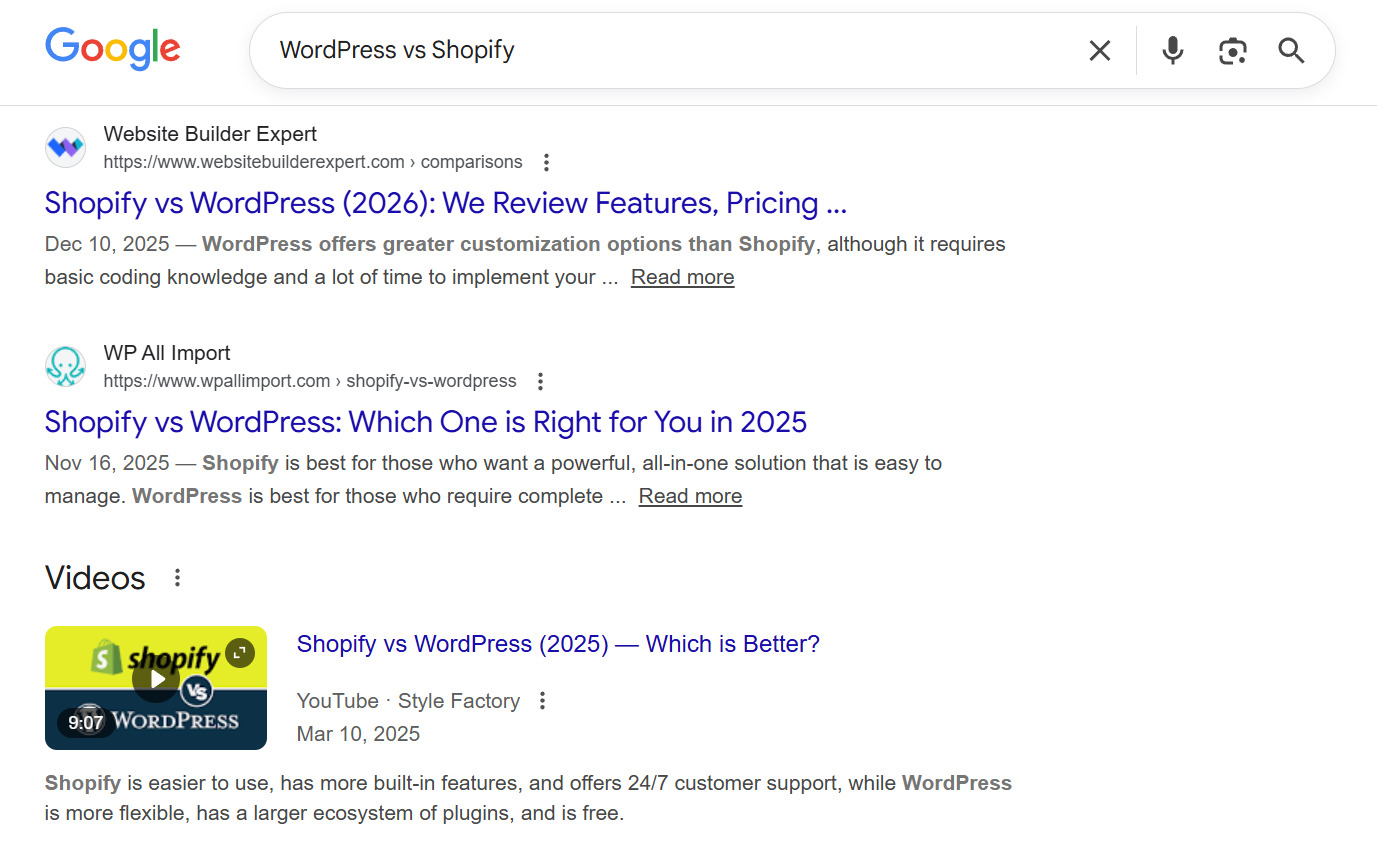
- Example queries: “best smartphones under $500,” “WordPress vs Shopify reviews,” “Dyson V15 review.”
What to Create:
Content that aids decision-making:
- Comparison articles and feature tables.
- In-depth product/service reviews.
- Expert roundups and “best of” lists.
- Case studies and use-case examples.
Your aim is to showcase value, address concerns, and naturally guide the user toward a decision.
Transactional Intent: Ready to Take Action
Transactional intent is the bottom of the funnel. The user has decided and wants to complete an action: buy, order, download, subscribe, or get a price.
Here, clarity and speed win. No fluff.
How to Spot Transactional Intent:
- Action verbs: “buy,” “order,” “download,” “sign up,” “book.”
- Commercial terms: “price,” “discount,” “deal,” “online,” “with delivery.”
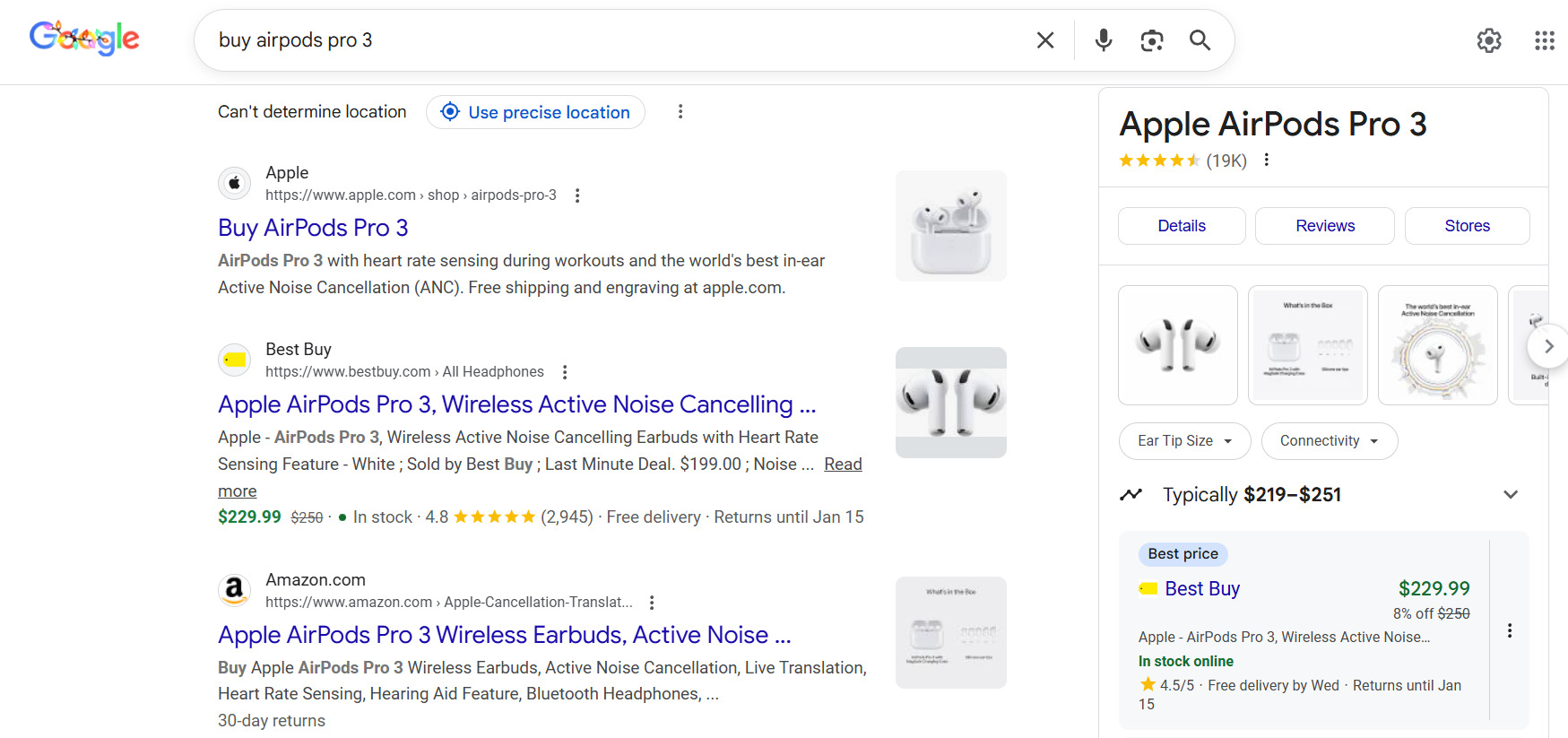
- Example queries: “buy AirPods Pro 3,” “book hotel in Barcelona,” “download lease agreement template.”
What to Create:
Lean, action-oriented pages:
- Clean landing pages.
- Product pages with clear prices, specs, and CTAs.
- Service pages with straightforward offers and forms.
Remove any barrier between the user and their goal.
Local Search Intent and Its Nuances
Local intent pops up when a user wants something near them – a product, service, or information tied to a specific location. These searches often lead to an in-person visit.
How to Spot Local Intent:
- Location words: “near me,” “in [city],” “close to.”
- Local business terms: “cafe,” “hair salon,” “shoe repair,” “opening hours.”
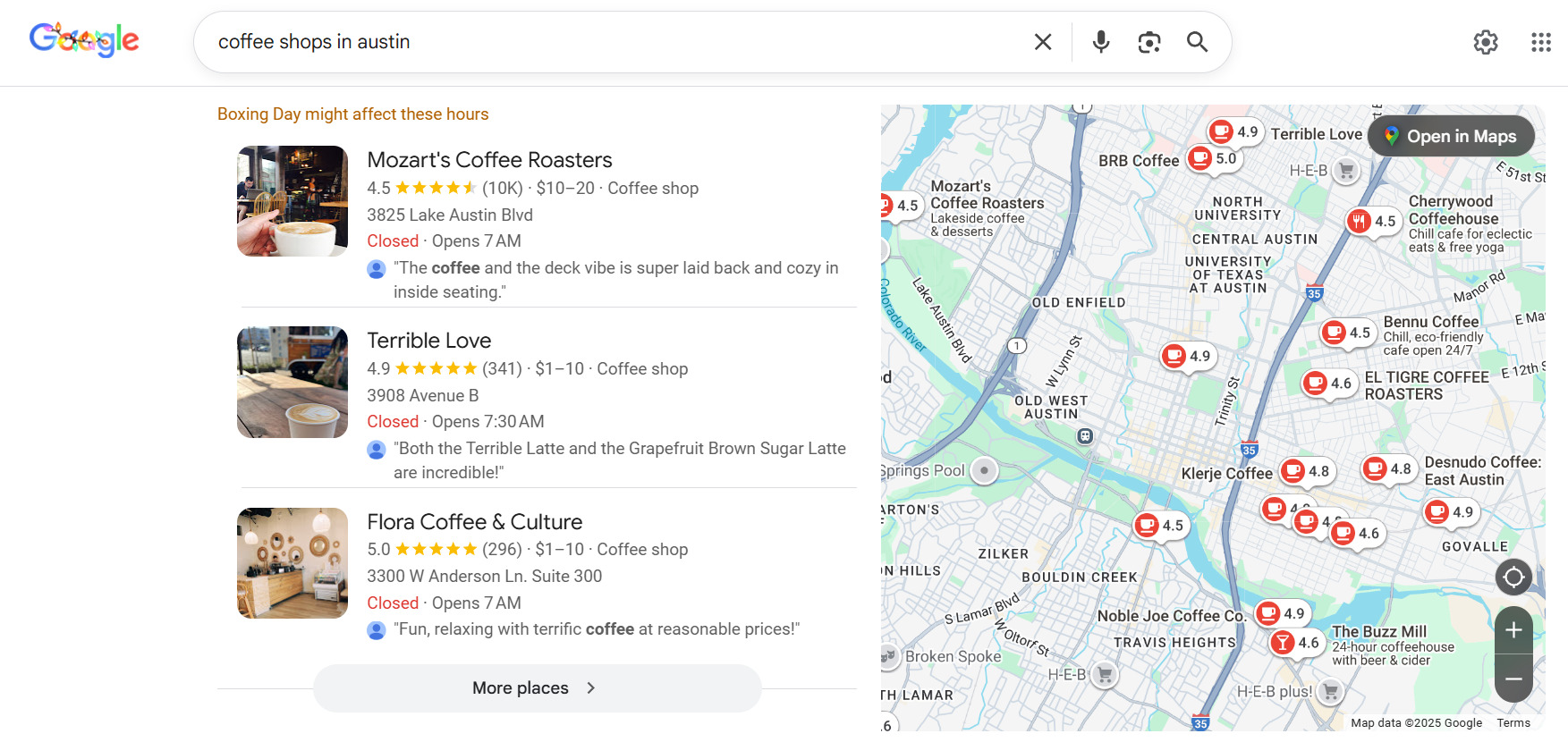
- Example queries: “coffee shop with Wi-Fi near me,” “dentist in Miami,” “auto repair shop in Milan.”
What to Optimize:
- Your Google Business Profile (and similar listings).
- Consistent NAP (Name, Address, Phone) info across the web.
- Location-specific pages and content.
This intent directly drives offline traffic and sales.
Mixed Search Intent and How to Handle It
Some queries aren’t clear-cut. “iPhone 15” could be for info, navigation, or a purchase. For these, a thorough search intent audit for website is key.
How to Work with Mixed Intent:
- SERP Analysis: Check what’s ranking in the top 10.
- Find the Dominant Intent: See which content type appears most.
- Choose Your Strategy:
- Match the dominant intent.
- Or create hybrid content that carefully addresses multiple needs without confusion.
Handling mixed intent well can secure strong positions in competitive spaces.
How to Read the User’s Mind: Analyzing Search Intents
Knowing intent types is half the battle. The other half is learning to quickly pinpoint the goal behind any query – based on evidence, not guesswork.
Let’s look at practical methods to understand intent before you write a word. These steps are the foundation of how to determine search intent.
How to Analyze Search Results (SERP) for Clues
First, open Google in incognito mode (without personalization). Don’t just glance – analyze the top 10.
Look for:
- Page types: Articles, product cards, categories, landers?
- Content formats: Text, video, calculators, lists?
- Depth: Short answers or comprehensive guides?
- Commercial elements: Prices, buttons, forms?
If the top results are mostly how-to articles, Google sees informational intent. If it’s all e-commerce sites, it’s transactional. A mix of reviews and comparisons points to commercial intent.
This simple method is a core part of any search intent analysis guide for your site. You’re not guessing the format; you’re aligning with what users and algorithms already expect.
Hints from Google: What People Search For Around Your Keyword
Google provides clues about intent. You just need to notice them.
Check these elements:
- “People Also Ask” boxes.
- “Related searches” at the bottom.
- Autocomplete suggestions as you type.
These show the questions and phrases commonly tied to your main query – a ready-made map of user expectations.
For example, if related searches include “what is it” and “how does it work,” you need content for informational intent. If you see “price” and “reviews,” the user is in comparison mode.
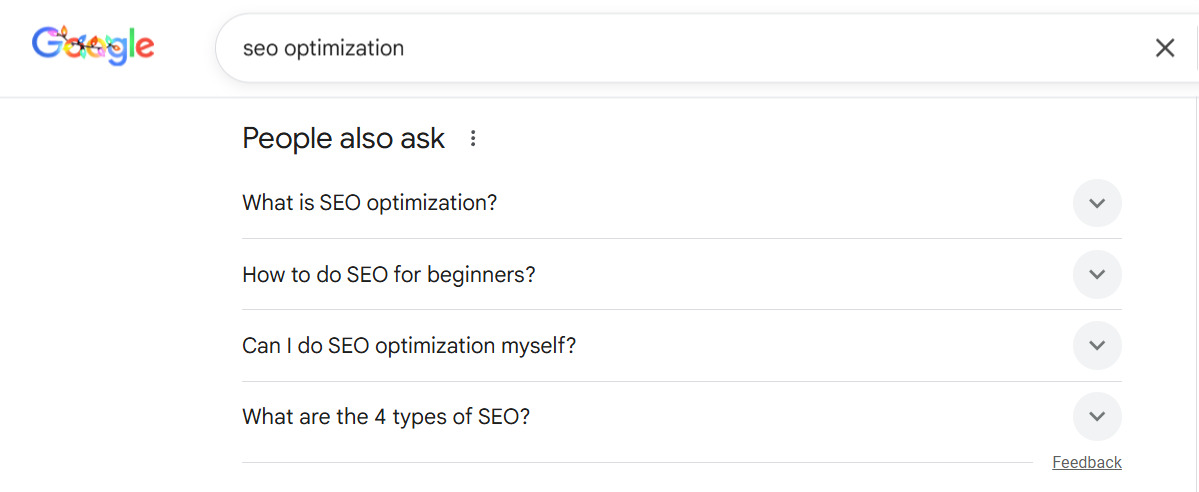
Using this data makes how to use search intent in keyword research much more logical than just collecting a random list of phrases.
How Wording Shifts Intent
A single word can completely change the goal behind a query.
Compare:
- “email marketing” (general info)
- “email marketing examples” (practical insight, commercial)
- “email marketing service” (solution research)
- “buy email marketing service” (transaction)
Same topic, different goals. You can’t cover all these with one generic page.
The right approach is to pinpoint how to optimise for search intent for the specific phrasing and build a page around that single goal.
A Quick 3-Question Checklist to Figure Out Any Query’s Intent
Before you write or edit, ask:
- “What does the user hope to see when they click?” Picture their ideal result. Is it a tutorial, a comparison chart, a price, or an official homepage? Verify what’s already winning in the SERP.
- “What will they do after getting this info?” Solve a problem, choose from options, buy now, or just navigate? This defines the intent and your page’s CTA.
- “Are there ‘signal words’ in the query?” Scan for markers:
- Questions (“how,” “what”) → Informational.
- Comparisons (“best,” “top,” “vs”) → Commercial.
- Actions (“buy,” “price,” “order”) → Transactional.
- Brand names (“Amazon”) → Navigational.
This checklist is your go-to for a quick assessment, useful for both planning and conducting a search intent audit for website.
Content That Gets Found: A Guide for Every Stage of the Funnel
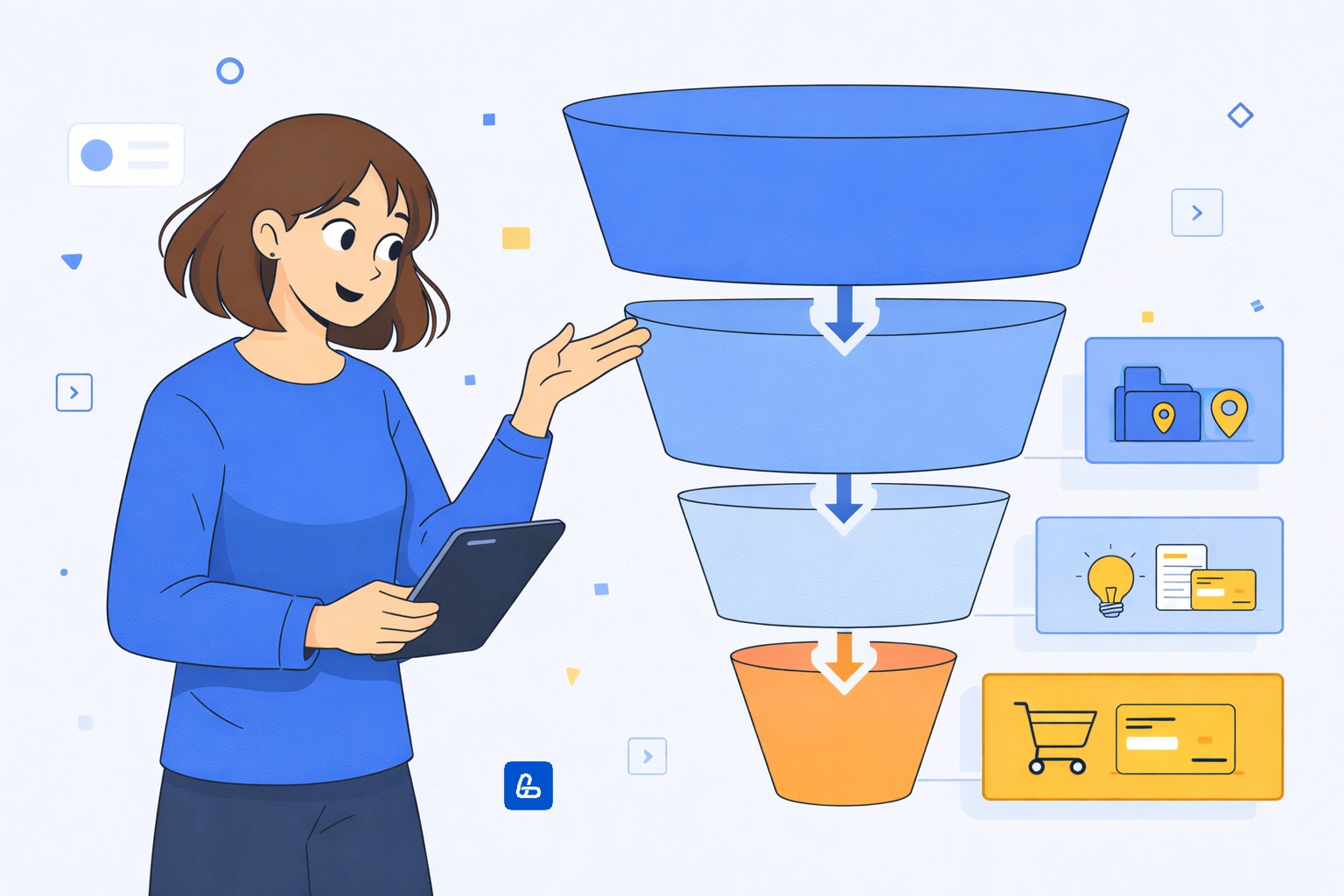
Once you know the intent, the real work begins: creating content that matches user expectations at their specific stage. The same product needs a different approach depending on the query’s goal.
Here’s a practical guide on how to match content to search intent without muddling purposes on a single page.
Writing for Learners: Informational Content That’s Clear and Useful
Informational intent is often the first touchpoint. The user isn’t ready to buy; they want to understand.
Principles for content for informational intent:
- Lead with the answer. Put a direct, clear response in the first paragraph or under a prominent subheading. Then elaborate.
- Structure for skimming. Use subheadings (H2, H3), lists, tables, and bold text. Help users find what they need in seconds.
- Keep it simple. Avoid jargon. Explain necessary terms right away.
- Be thorough. Cover the topic from different angles. Use “People also ask” for ideas. If the query is “how to choose a bicycle,” discuss frame types, wheel sizes, and brakes.
- Add visuals. A diagram, infographic, or short video can explain complex ideas faster than text.
You can gently guide users further down the funnel with links to guides or case studies, but the primary focus must stay on providing the answer.
Persuading Researchers: Effective Commercial and Sales Pages
Here, the user is informed and comparing. Your content for commercial intent should help them decide in your favor.
Key elements:
- Focus on benefits, not just features. Explain how each spec solves a user problem. “Aluminum frame” becomes “Lightweight frame for comfortable long-distance rides.”
- Be honest and authoritative. Mention drawbacks or alternatives to build trust. “This model is a bit heavy for carrying upstairs daily, but its suspension is perfect for rough terrain.”
- Use comparisons. Tables, pros/cons lists, and scored ratings are very effective.
- Include a logical CTA. After a review, the next step isn’t “Buy Now” but “Compare Prices,” “View Specifications,” or “Download the Catalog.” Guide them to the next step.
The goal is to be the final, most persuasive nudge before the purchase, not to close the sale on the spot.
For transactional intent, every second counts. The user must instantly know how to act.
Your content for transactional intent must include:
- A clear product/service description.
- All key details: options, terms, timelines.
- Answers to common purchase questions.
- A single, obvious next step (e.g., “Add to Cart,” “Get a Quote”).
If a user looking to buy sees a long article, they’ll bounce. If someone researching sees a bare-bones sales page, they won’t trust it.
Welcoming Your Audience: Handling Branded and Navigational Queries
Navigational intent is your warmest traffic – people already seeking you out.
Your content’s job here is to get out of the way.
- Ensure brand pages are easy to find.
- Craft clear, concise meta snippets.
- Maintain a logical site structure.
- Make key sections (login, support, contact) accessible in one click.
Fumbles here hurt trust and repeat visits.
The Costly Mistake: Blurring Intents on a Single Page
The most common and expensive error is trying to serve multiple intents on one page. This confuses users and search engines alike.
A Classic Mistake: Stuffing a “Professional Mixer” product page with sections on “The History of Mixers,” “How to Choose,” and “10 Cupcake Recipes.” Someone searching “buy powerful mixer” has to scroll past irrelevant text, gets annoyed, and leaves. Google sees the high bounce rate and demotes the page for not matching transactional intent.
The Right Fix: Intent-Based Architecture:
- Query: “history of mixers” (Informational) → A dedicated blog article.
- Query: “best mixer for home” (Commercial) → A detailed comparison guide.
- Query: “buy Mixer Brand X Model Y” (Transactional) → A clean product page with price, specs, delivery.
Create distinct, purpose-built pages for each intent. Connect them with intelligent internal links: from the blog article to the guide, and from the guide to the product page. This builds a clear user journey and sends strong relevance signals to Google – core to search intent optimization techniques.
The SEO Strategy That Delivers: Using Intent to Boost Reach and Revenue

Working with intent isn’t about standalone pages; it’s about building a system that turns content into a powerful engine for attracting and converting customers. When every page has a defined purpose and they all work together, you attract quality traffic that actually converts.
A smart search intent SEO strategy lets you speak the right language at every stage of the user’s journey, growing your reach, loyalty, and key business metrics.
Building a Content Plan Around Customer Goals
Move beyond keyword lists to a plan based on intent and the customer journey.
- Cluster by intent, not just keywords. Group your semantic core by intent type (informational, commercial, transactional, navigational). This forms your site map’s backbone.
- Audit your current state. Run a search intent audit for website. Match existing pages to the queries they target. Find mismatches: Is an article trying to sell? Is a product page buried in text?
- Prioritize gaps. Identify what’s missing. Often, sites have plenty of product pages but lack the commercial comparison content that feeds them. Fill those gaps first.
- Create with the right template. Use the appropriate content format for each intent cluster, as outlined above. This ensures you meet expectations from the start.
This approach saves resources because you only create content that’s actually needed, in the correct format.
Connecting Your Content into a Cohesive System
Isolated pages are weak. Guide users seamlessly from learning to choosing to acting with smart internal linking.
- Go from broad to specific. Link from a foundational article (“What is Forum Posting?”) to targeted guides (“Top 10 Best Forum Posting Platforms”) and then to services (“order forum backlinks”).
- Use descriptive link text. Avoid “click here.” Use anchors that describe the destination: “See our in-depth review of the best Digital PR agencies.”
- Complete the cycle. Add a “You Might Also Like” or “Learn More” section at the end of commercial/transactional pages, linking to relevant informational content. This increases engagement and expertise.
This turns your site into a helpful ecosystem. Users find answers and naturally progress. Google sees a well-structured, authoritative site, which boosts rankings.
Designing the User Journey: Anticipating the Next Step
Aim to predict the user’s next question. Someone reading “Symptoms of Vitamin D Deficiency” will likely want “How to Replenish Deficiency,” then “Best Vitamin D Supplements,” and finally “Where to Buy.”
How to build this journey:
- Map the customer path. Walk through the entire experience from discovery to purchase. Document every question that arises. Your content should answer these.
- Create navigation pathways. Use contextual links within and after articles: “Next Steps,” “Before You Buy,” “Related Reading.” Guide users along your planned route.
- Measure and tweak. Use Google Analytics Behavior Flow reports. Are users following the paths you built? If not, strengthen your linking or content in the gaps.
Guiding the user improves their experience, reduces drop-offs at the consideration stage, and increases conversions. This is advanced user intent in SEO in action.
Ready to build this? The LinkBuilder.com team specializes in comprehensive strategies. We’ll perform a deep search intent audit for website, craft a precise content plan, and execute professional link building to boost your site’s authority.
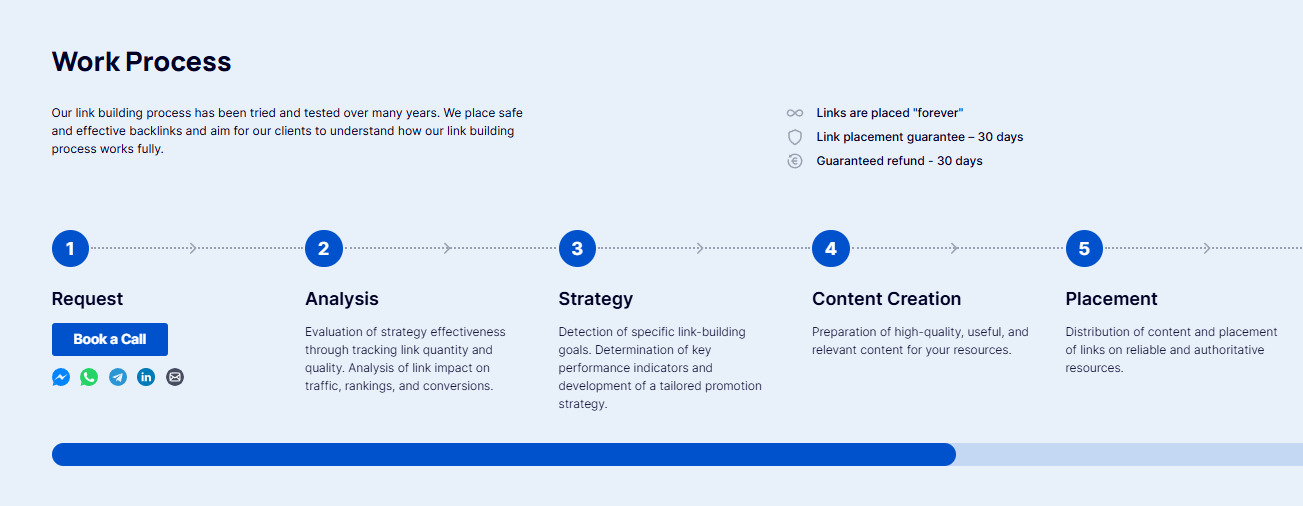
Get in touch for a strategy tailored to your goals.
Best Practices: Outperforming Competitors with Precision Intent Work
Once your intent foundation is solid, it’s time to level up. Winners aren’t those who just match the format; they create pages that are more helpful, usable, and complete than anyone else’s.
This isn’t about gaming algorithms. It’s about meticulous attention to user expectations.
Optimizing User Experience (UX) to Keep Visitors Engaged
Even perfect intent matching fails if the page is a pain to use.
Technical Must-Haves:
- No intrusive pop-ups blocking content.
- Clean design with readable fonts (14px+).
- Plenty of white space and clear visual hierarchy.
- Fast loading times.
If users can’t easily read or navigate, intent satisfaction plummets.
Structural Clarity: Content should be a breeze to digest:
- Subheadings that answer actual user questions.
- Short paragraphs and bulleted lists.
- Comparison tables where relevant.
- Helpful images, diagrams, or videos.
Good structure directly improves engagement and comprehension.
Let Metrics Guide You: Metrics like Bounce Rate and Time on Page aren’t just numbers – they’re intent report cards. High bounce + low time usually means an intent/format mismatch. Check these pages first.
Refreshing and Re-optimizing Existing Content
Often, the issue isn’t missing content but outdated content that no longer fits the current intent.
Find Your Problem Pages: Look for pages that:
- Get impressions but few clicks.
- Have traffic but don’t keep users.
- Rank outside the top 10 despite good backlinks.
- Have dropped from previous positions.
These are prime for a refresh.
How to Revise a Page:
- Audit: What intent was it built for? What queries bring people now?
- SERP Analysis: What’s ranking for those queries today? What formats win?
- Redo the Content: Align it with the current dominant intent. Maybe an info article needs a comparison section, or a review needs a clearer path to purchase.
The key question: Does this page still match what people want when they search this today?
Case Study: Updating “What is Forum Posting.”
The original article served a basic informational intent. Data showed the query also had mixed intents: users wanted to see how it works and where to get it (commercial).
We updated to address this broader spectrum:
- Added an FAQ to answer immediate follow-up questions (“Is it safe?”, “Where are links placed?”), strengthening informational value and reducing bounce.
- Included real examples to show practical application, catering to commercial curiosity.
- Enhanced internal linking to guide users naturally from theory to practice to solution, signaling deep topic expertise to search engines.
- Added service description blocks to logically satisfy transactional intent for ready-to-act users.
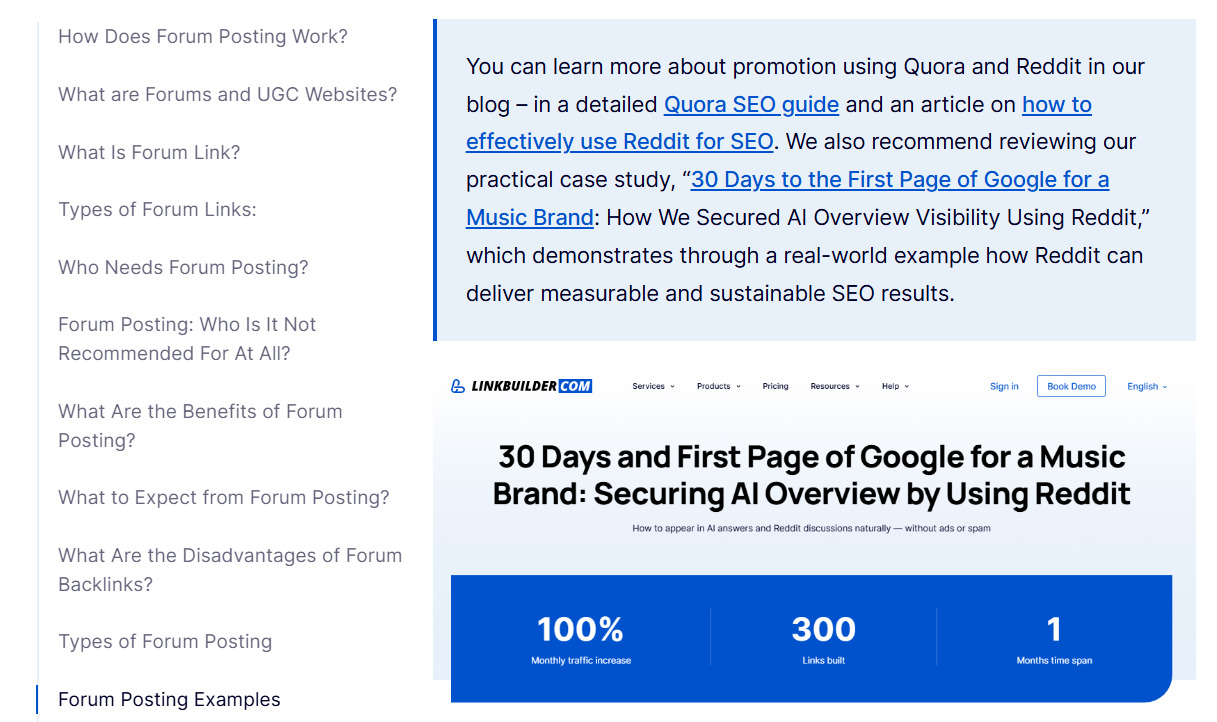
The result? The article became a one-stop solution for users at different stages.
- Increased time on page, lower bounce rates (content satisfied queries better).
- Higher conversion potential (clear path for commercial-intent users).
- More traffic (attracted a broader audience within the topic).
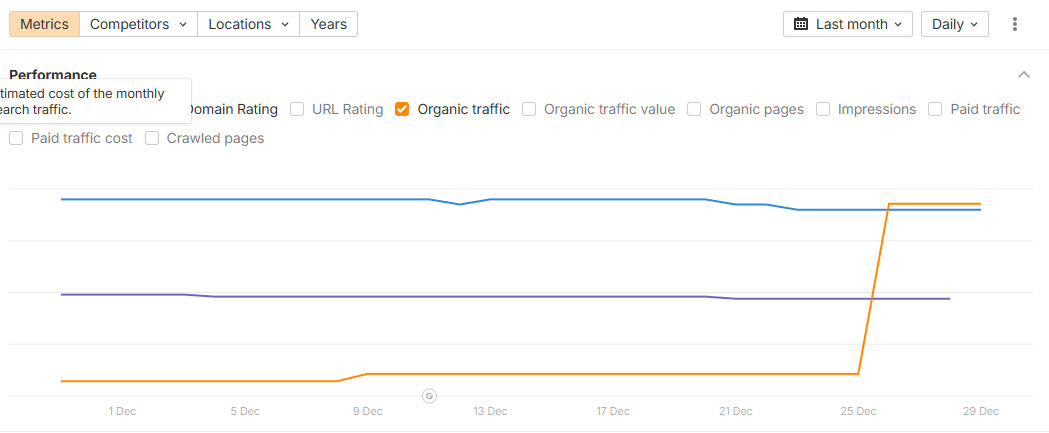
Why did it work? We kept informational intent as the core. We didn’t turn it into a sales page. Instead, we added commercial elements (cases, services) as a natural extension for users who got their answer and wanted the next step. This satisfied supporting intents without alienating the main audience – a clear example of search intent best practices.
Mining the “People Also Ask” Goldmine
The “People also ask” section is an underused treasure trove. It’s a list of related user intents, straight from Google’s data.
Why it’s great:
- Based on real search behavior.
- Reveals user doubts and next-level questions.
- Shows what’s missing from the main query.
Use these questions as H3/H4 subheadings and answer them thoroughly. This makes your content more comprehensive and boosts chances for a featured snippet.
Advanced Tactics for Mixed and Commercial Intents
Ambiguous queries need special care.
For Mixed Intents: Don’t try to be everything. If the SERP shows 7 comparison pages and 3 product pages, commercial intent is dominant. Create content focused on that, with light touches on others (e.g., a review with a “check current price” box). Hybrid pages work only with one clear primary intent.
For Clear Commercial/Transactional Intents: Clarity is non-negotiable. If a user searches “Python course,” they might want reviews OR to buy. Create two pages: 1) A “Best Python Courses” guide (commercial), and 2) A “Sign Up for Our Python Course” landing page (transactional). Mixing them dilutes effectiveness.
Precise intent work at this level doesn’t just get you rankings – it keeps them and drives qualified traffic.
Your Daily Playbook: 10 Steps to Nail Intent Every Time

All this theory boils down to repeatable actions. Save this checklist to replace guesswork with a reliable system for creating content that hits the mark.
Follow these ten steps – from idea to analysis – to cut errors, save time, and ensure your work pays off.
Before You Write: 4 Steps That Prevent Wasted Effort
These steps set the stage for success.
- Check the actual SERP for dominant intent. Don’t assume. Google your main keyword incognito. What’s ranking in the top 10? Guides, reviews, or store pages? That’s the real user goal. Start your search intent analysis guide here.
- Study “People Also Ask” and “Related Searches.” Note every related question and phrase. They reveal adjacent needs and give you a content outline.
- Define the page’s goal in one sentence. What should the user learn/do after reading? “Compare three types of robot vacuums” or “Purchase the Advanced Figma Course.”
- Pick the matching content type. Informational = long article/video. Commercial = comparison/review. Transactional = landing page/product card. Don’t cross the streams.
While Creating: 3 Checkpoints to Stay on Track
As you work, verify:
- The content answers the main query upfront. The key answer should be in the title, introduction, or first subheading.
- Structure and navigation are intuitive. You’re using headings, lists, and images. Internal links guide users logically to the next step, helping fully match content to search intent.
- The CTA matches the funnel stage. Info article: “Read our buying guide.” Commercial page: “Compare features.” Transactional page: “Buy Now” or “Get Quote.” The next action should be obvious.
After Publishing: 3 Metrics to Track Success
Launch isn’t the end. Measure to improve.
- Rankings for target keywords. Are you moving up? It’s the first sign you got the intent right.
- Behavioral metrics in GA4/GSC. Watch bounce rate from search and average engagement time. Low bounce + high time = good intent match. Spikes in bounce need investigation.
- Internal link clicks and conversions. Are users following your designed pathways? Does the journey from the page lead to a lead or sale? This is the ultimate test of your search intent SEO strategy.
Make this checklist part of your workflow to turn intent theory into consistent results.
Need a hand with the audit, strategy, or execution? LinkBuilder.com can help. Just contact us – we’ll diagnose your site, build a content plan, and handle link building to draw in the right audience.