
 Link building
 Guest Posting
 Niche edits
 Profile backlinks
 Crowd links
 Submission links
 Contextual Backlinks
 White-label link building
 PBN Building
 Haro links
 Digital PR
 SEO
SEO
 SEO copywriting
 Google Indexing
 Quora links
 Add to catalogs
 AI SEO
 Reddit

When planning a large-scale advertising campaign, professionals often face the challenge of estimating budgets for placing articles or links across hundreds of platforms. Manually checking the cost of each website individually is time-consuming and labor-intensive, slowing down the entire preparation process for the campaign launch.
To address this challenge, our platform offers two proven methods for bulk analysis. You can choose the tool that best aligns with your current goals – whether it’s a quick market snapshot or an in-depth strategic analysis.
Read this article to learn about both tools or watch a short video guide:
Option 1: Instant Analysis with Bulk Search
Bulk Search is a tool designed to provide quick summary data for large lists of domains. It’s perfect for situations where you need to rapidly assess the market or estimate an approximate budget.
When to Use Bulk Search
Bulk Search is an invaluable tool when speed and coverage are critical. It’s ideal for scenarios such as:
- Initial evaluation of a new market or niche;
- Quick budget calculations for client presentations;
- Analyzing competitors’ strategies;
- Comparing placement costs across different niches.
How to Use the Tool
The tool is designed for maximum ease of use. Checking a thousand websites takes just a couple of minutes. Simply follow these steps:
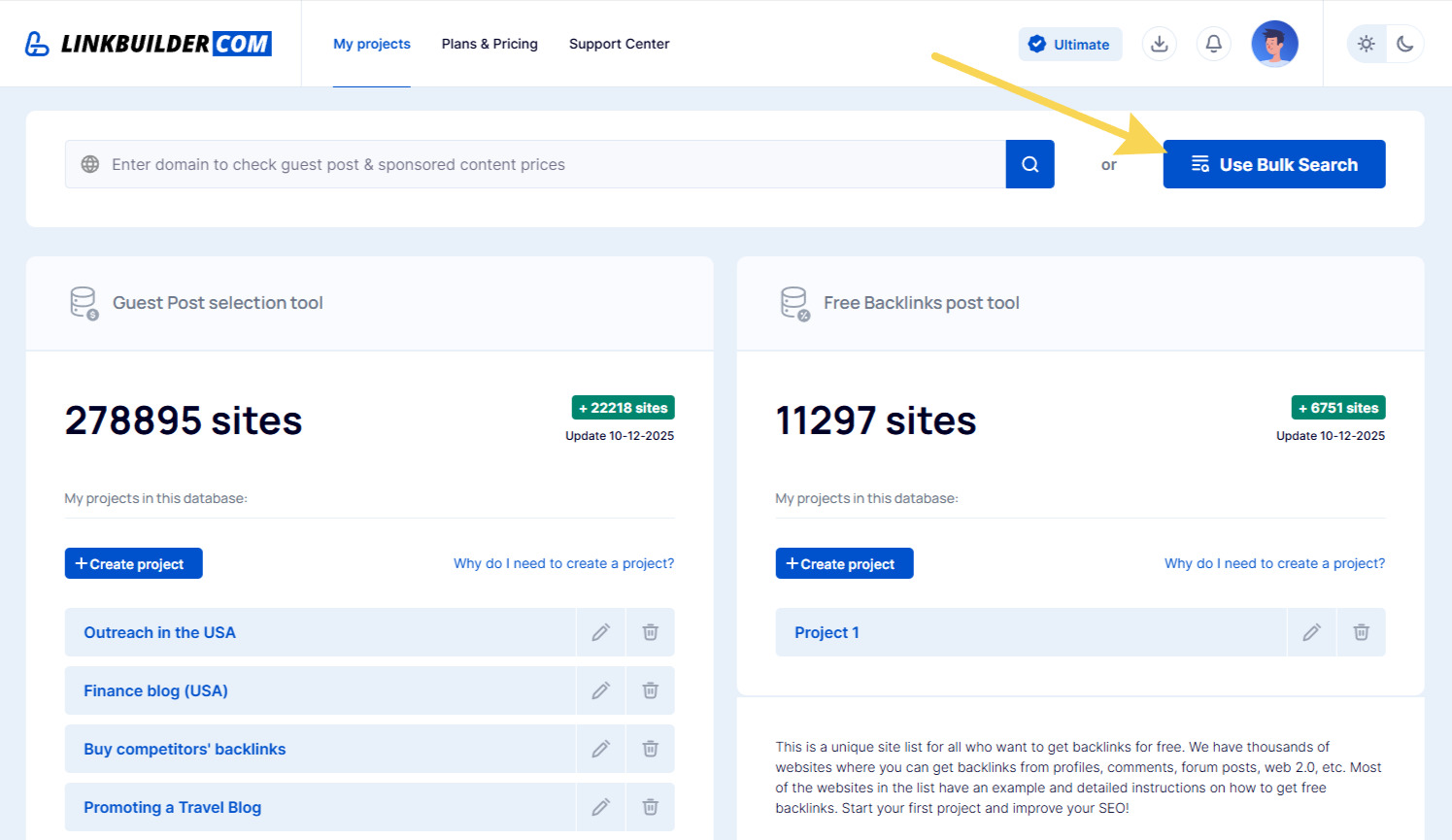
- Log in and click the “Use Bulk Search” button on the platform’s homepage.
- Paste your list of domains into the text field or upload a file in TXT or CSV format.
- Click the “Check” button.
- Within seconds, you’ll receive a ready-to-use table with the results.
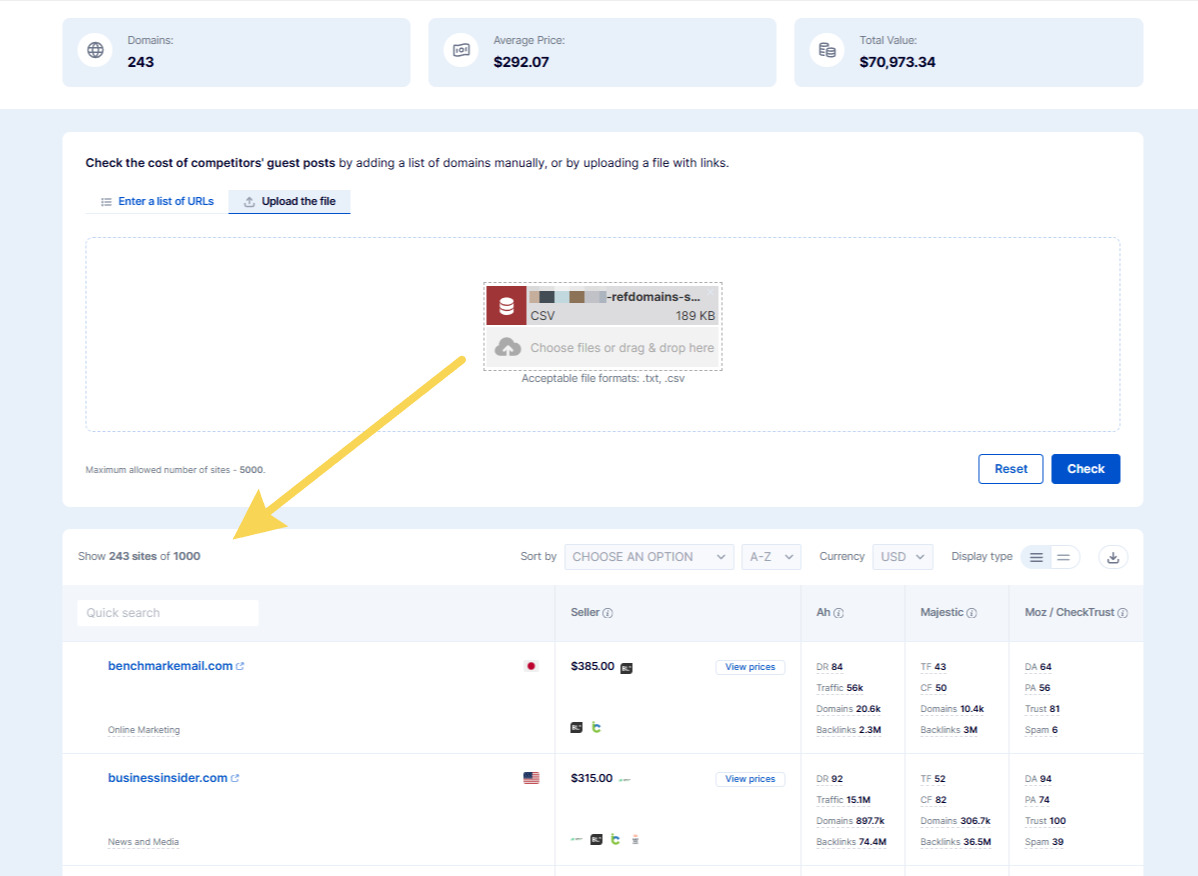
The report’s key metrics are displayed at the top:
- Domains – the number of websites from your list available for placement;
- Average Price – the estimated cost of placement on a single website;
- Total Value – the total budget for placements across all platforms.
Bulk Search displays up to 200 websites on the Starter plan, up to 7,000 on the Professional plan, and up to 30,000 on the Ultimate plan. For a practical example of how to use this tool, check out our detailed guide on using Bulk Search.
Option 2: Professional Analysis with My Projects
If you need more than just a report and want the ability to deeply analyze and filter results, create a dedicated project. This allows you to fully control your data and strategically plan your campaign.
When to Use Projects
Projects are essential when you need to dive deeper into your data. Use them in cases such as:
- Managing ongoing lists of platforms;
- Requiring advanced filtering of results;
- Creating “blacklists” and “whitelists”;
- Long-term planning of advertising campaigns.
How to Work with Projects
The process follows this straightforward algorithm:
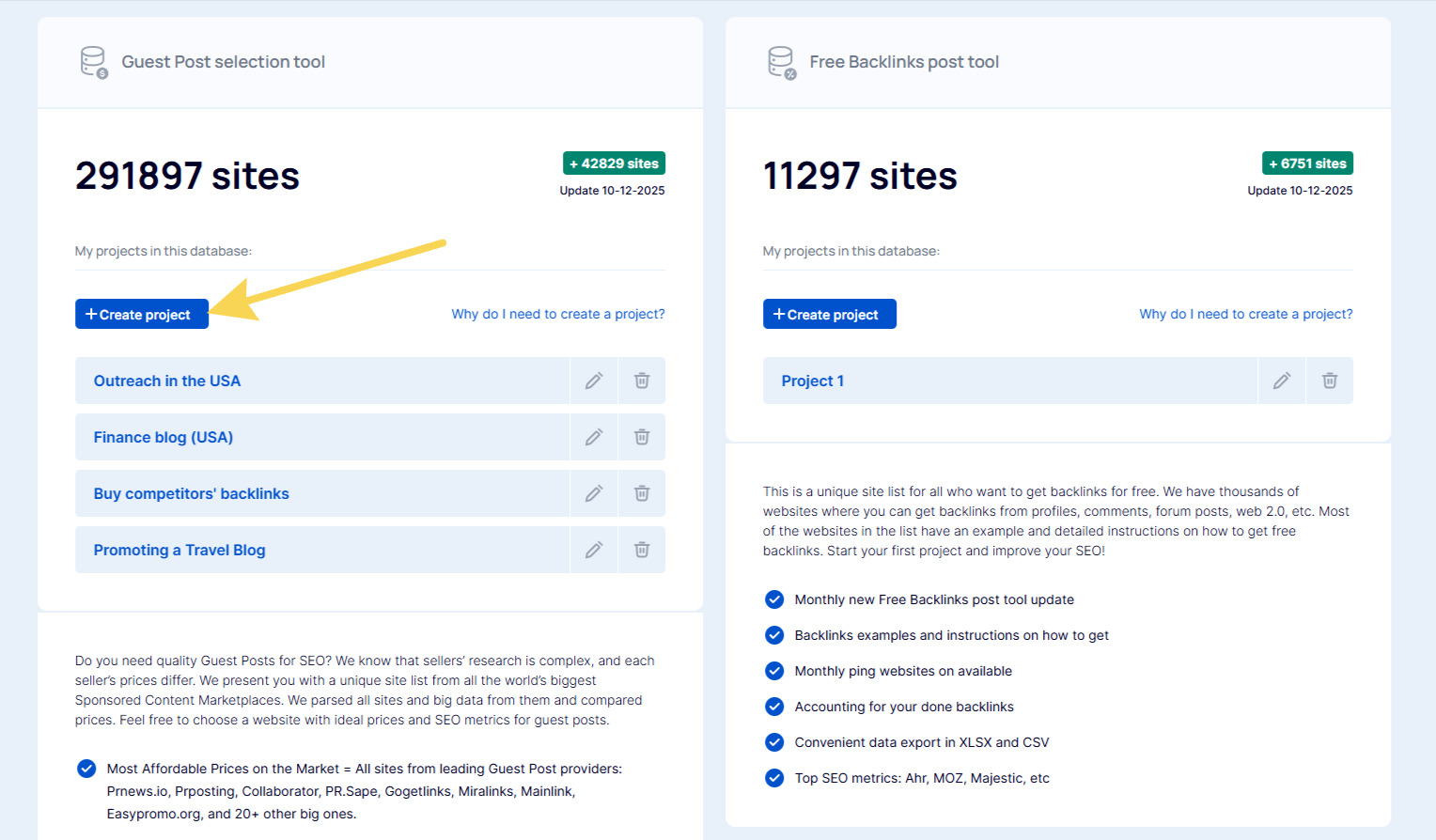
- Create a new project in your account dashboard or select an existing one.
- Navigate to the “Whitelist” section, click “Add,” and input your list of domains. As with Bulk Search, you can enter them manually or upload a file in TXT or CSV format.

- Start the analysis. The system will evaluate all websites and display those available in our database in a table. On the Starter plan, up to 200 websites will be shown, while Professional and Ultimate plans have no limits.
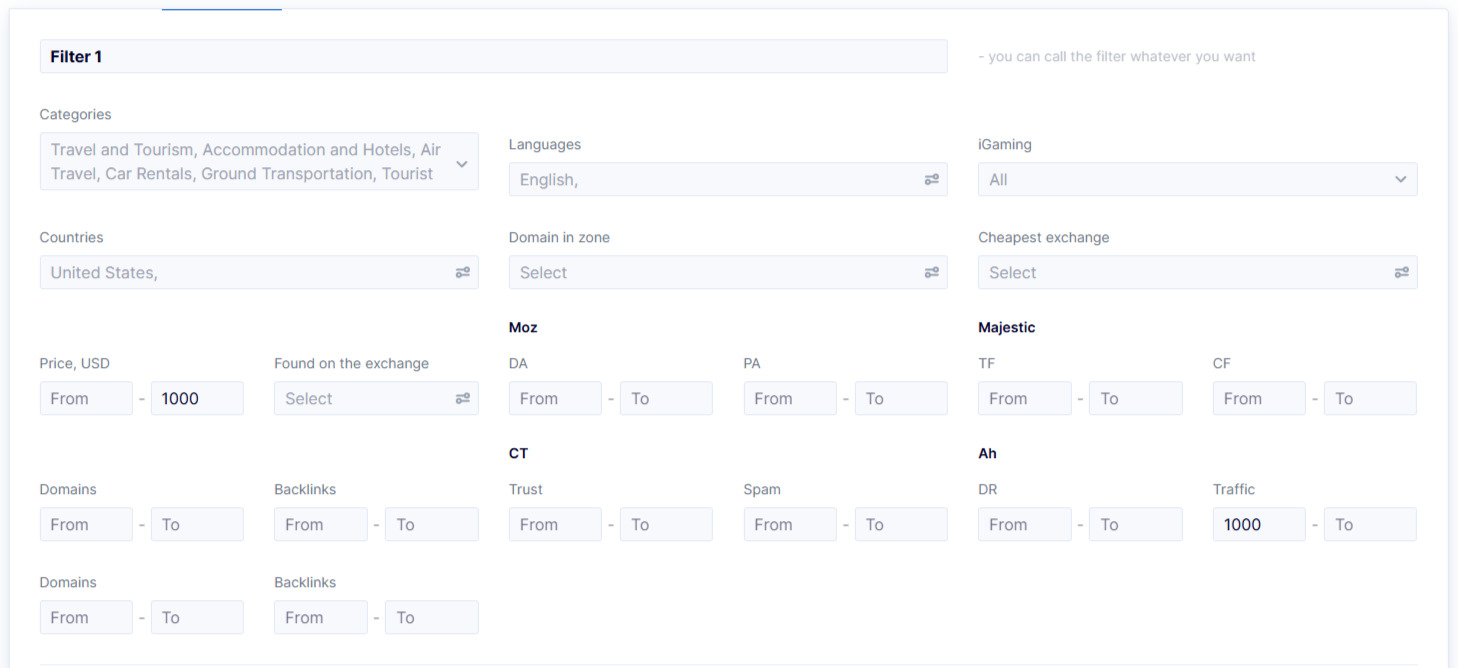
- Use filters to select platforms based on:
- Price range,
- Website niche,
- Traffic metrics,
- Country and language,
- Link vendors,
- Quality metrics.
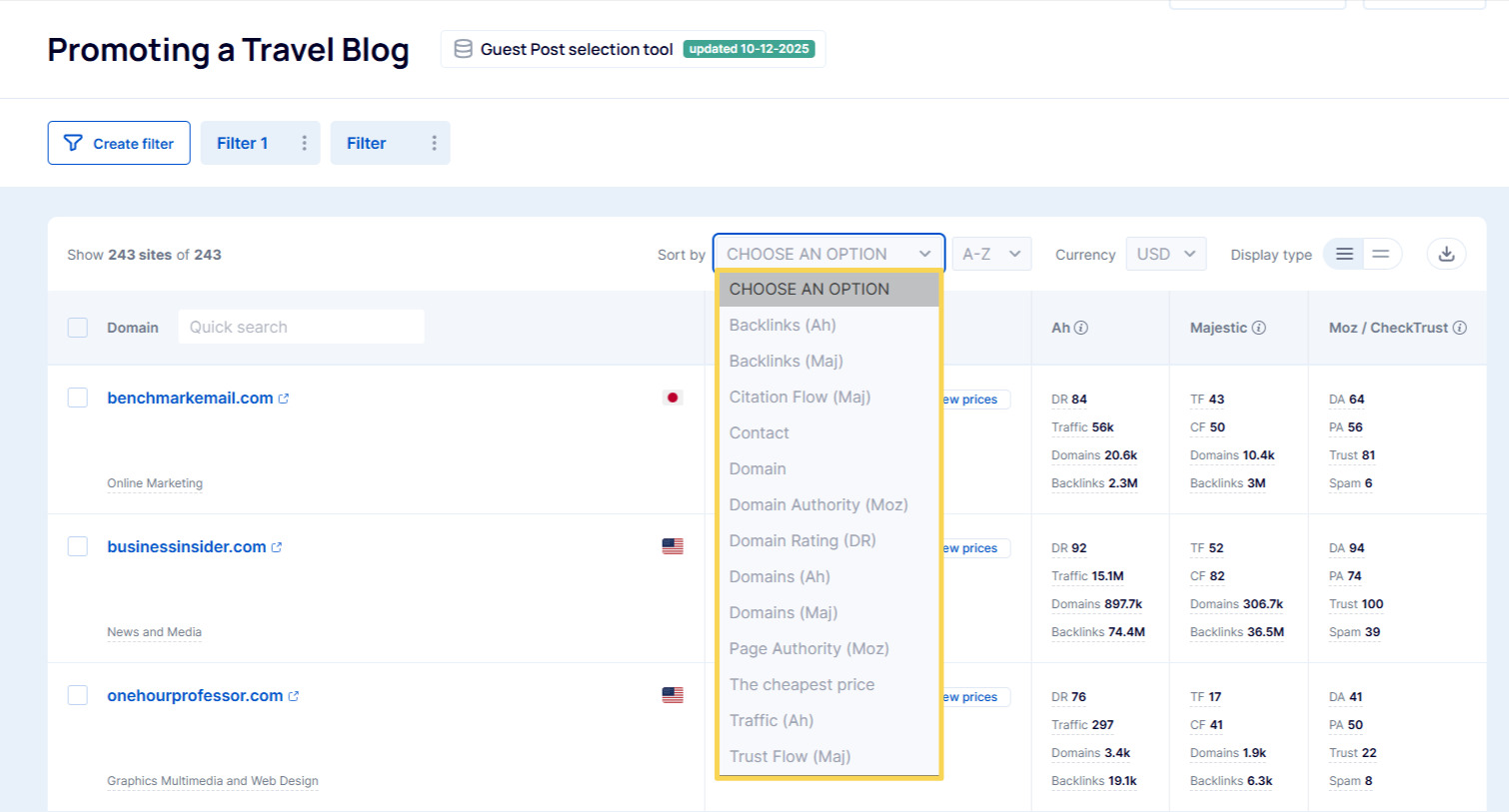
Filtered websites can be sorted by over 10 metrics, such as price, Domain Rating, Trust Flow, and more. This allows you to, for example, prioritize purchasing links from the most budget-friendly options or focus on the most authoritative platforms.
Once you’ve placed a link on a platform, you can add it to the “Used” list. Simply check the box next to it and click “Hide.”
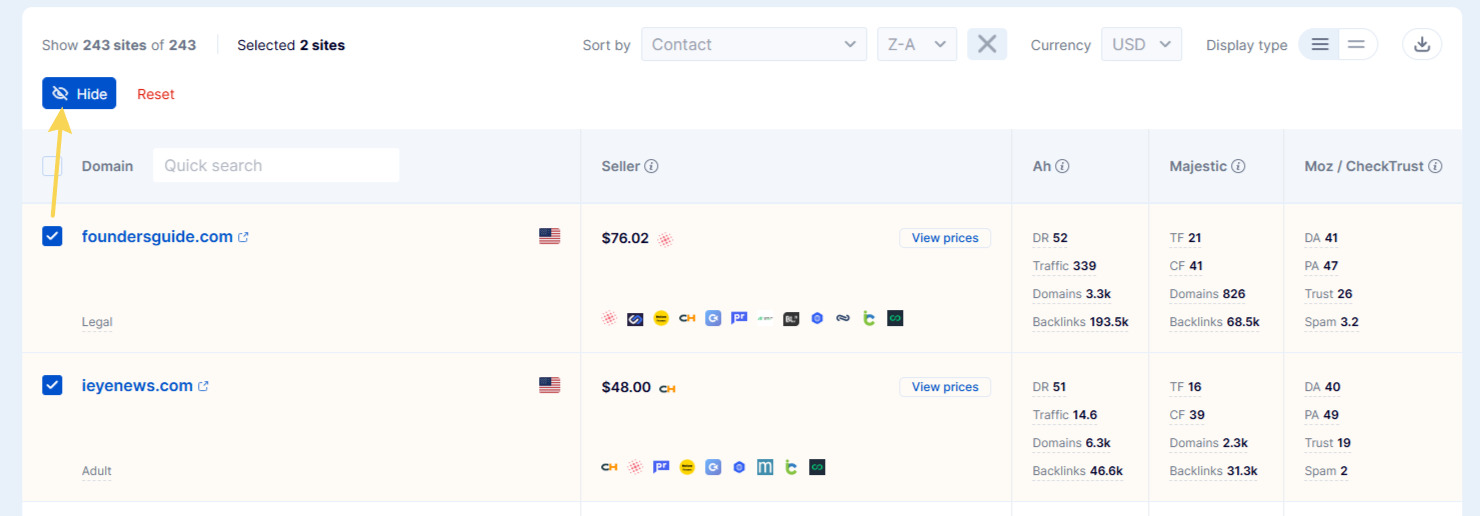
You can then continue working with the database without worrying about accidentally reusing platforms.
Which Method to Choose
Both options eliminate the need for tedious manual checks but are designed for different use cases. To help you decide, refer to the comparison table below:
| Criterion | Bulk Search | My Projects |
|---|---|---|
| Main Purpose | Instant market snapshot and budget estimation | In-depth analysis, filtering, and strategic planning |
| Filtering and Sorting | Basic sorting by price and metrics | Advanced filters for price, countries, niches, traffic, and more |
| List Management | One-time checks | Ongoing work with Whitelists and Blacklists |
| Use Case | “Need to quickly check 1,000 websites and estimate a budget” | “Need to find the top 50 platforms out of 1,000 and manage them in a long-term campaign” |
In summary, Bulk Search provides an instant overview of the market, while Projects offer robust tools for detailed analysis and campaign planning. Choose the option that best fits your goals and start analyzing platforms today!