
 Link building
 Guest Posting
 Niche edits
 Profile backlinks
 Crowd links
 Submission links
 Contextual Backlinks
 White-label link building
 PBN Building
 Haro links
 Digital PR
 SEO
SEO
 SEO copywriting
 Google Indexing
 Quora links
 Add to catalogs
 AI SEO
 Reddit

Want to find out how much it costs to place articles on specific websites? With our tool, it takes just a few minutes.
This article covers three simple ways to check pricing: from a one-time check for a single site to advanced work with large lists. Choose the method that best suits your needs.
You can read the guide or watch it as a video:
Checking the Price for a Single Website
This is the fastest way to get information about a specific domain:
- Log in to the LinkBuilder.com app.
- Locate the domain check field. It’s positioned at the top of the tool’s homepage.
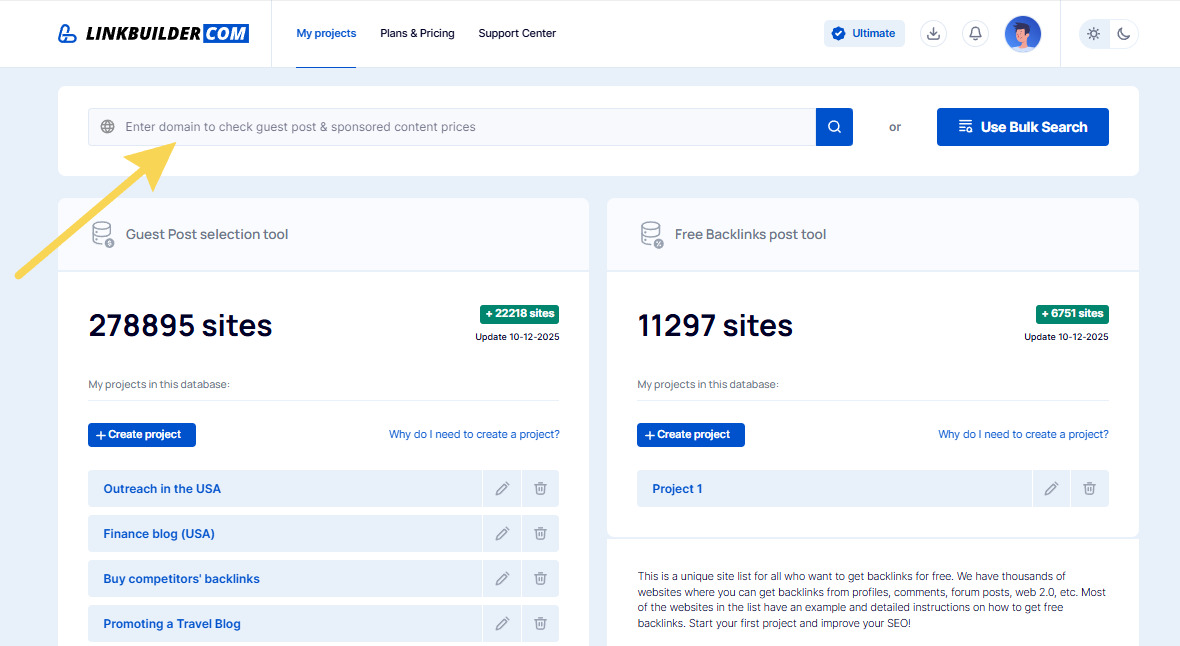
- Enter the website’s address (e.g., msn.com) in the field and click the search button.
- If the site is in our database, the system will instantly display its key metrics (Domain Rating, Domain Authority, Trust Flow, traffic, number of domains, and backlinks) along with an estimated cost for placing articles or other content.
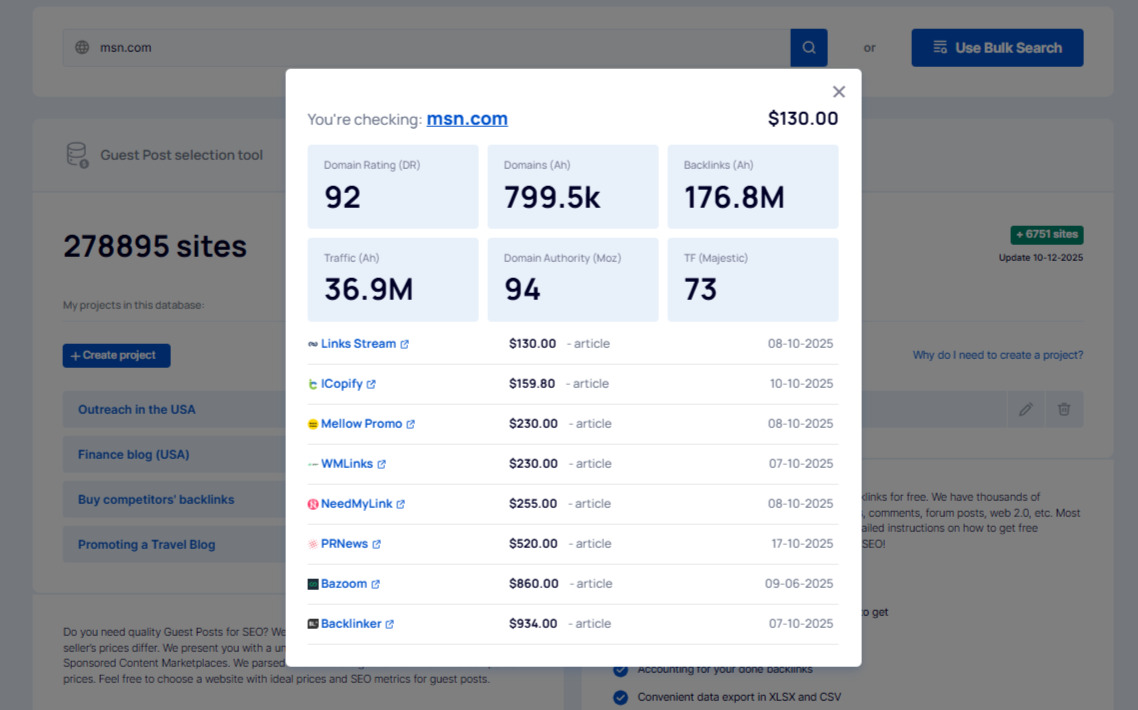
From there, you can immediately proceed to the marketplace and purchase placement on the desired site.
Bulk Price Checking (Bulk Search)
If you need to check prices for multiple websites at once, use the bulk search function. We’ve covered it in detail in another guide, but here’s a quick overview:
- Next to the single domain check field, find the “Use Bulk Search” button.
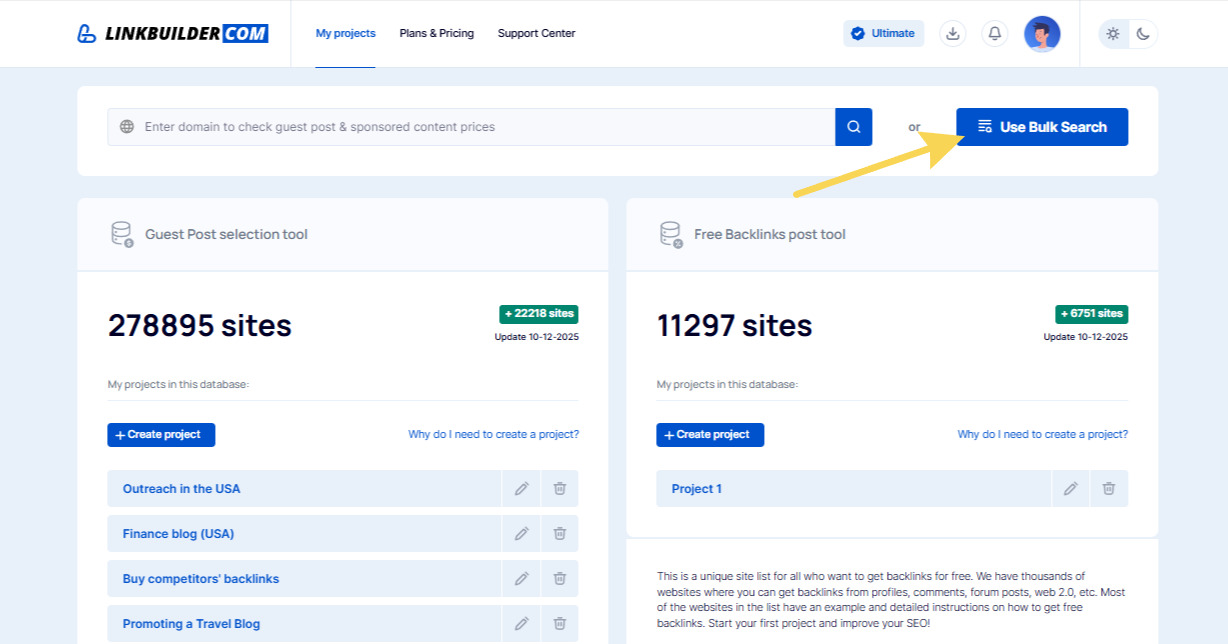
- Upload your list of domains. You can do this by:
- Pasting the list of sites into the text field.
- Uploading a TXT or CSV file containing the list of domains.
- Click “Check” to start the process. The system will process the entire list and provide a table with prices and metrics for each site found in our database.
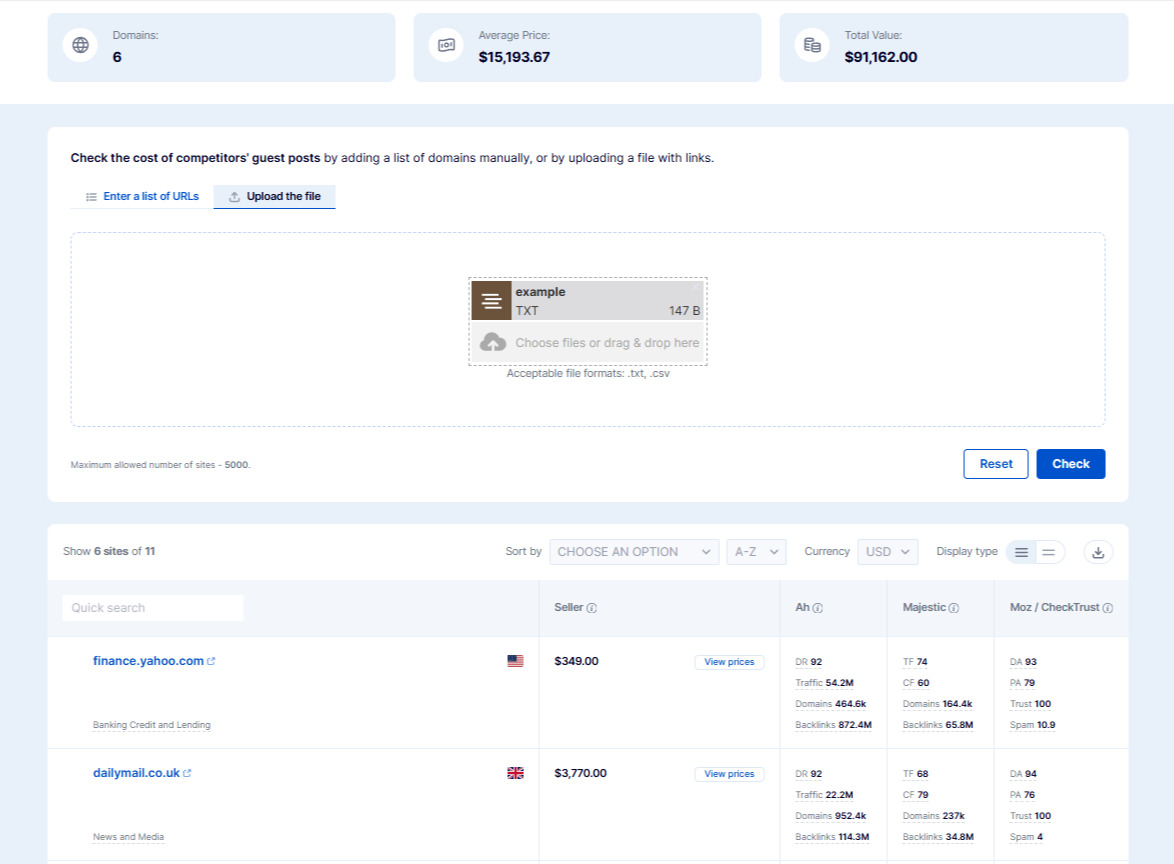
You can sort the results by price, traffic, or other metrics, or export them by clicking the download icon.
Advanced Filtering with My Projects
For professional use cases where you need more than just prices – such as filtering, segmenting, and analyzing data – we recommend using the full database. Here’s how:
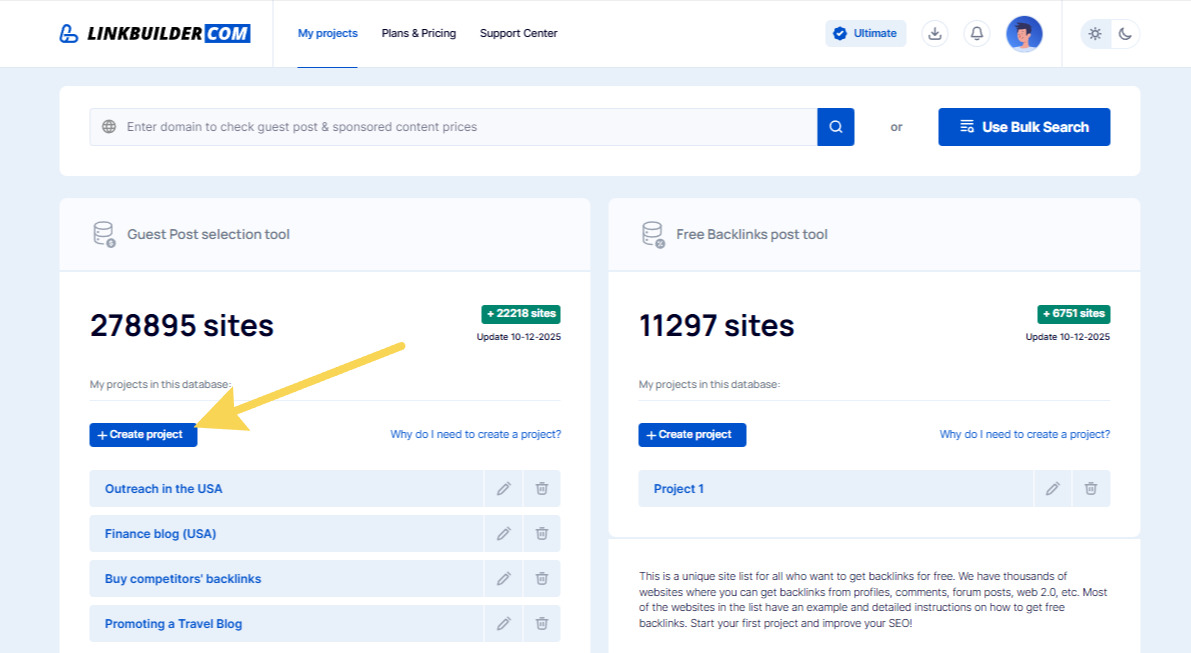
- Create a new project or open an existing one.
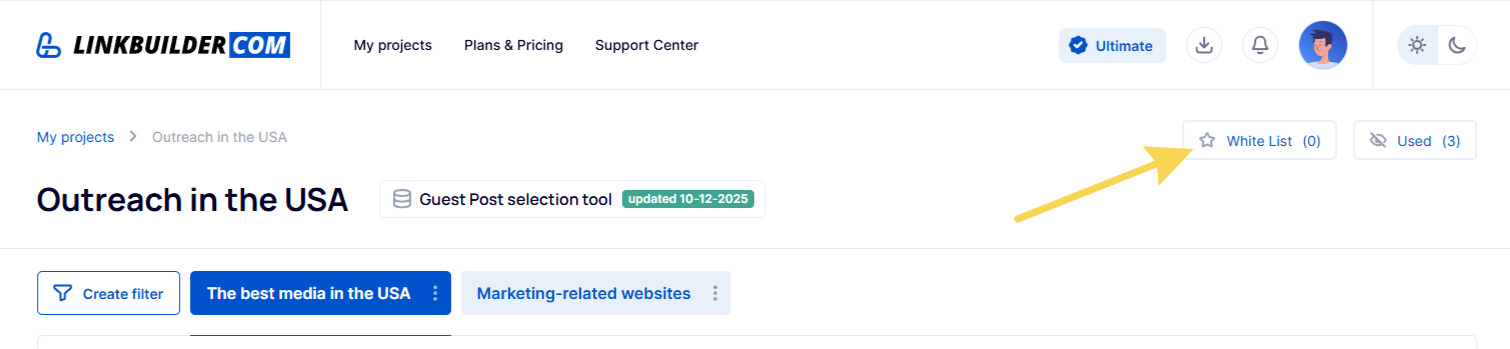
- Inside the project, navigate to the “Whitelist” section.
- Click the “Add” button and upload your list of domains to the whitelist. As with bulk search, you can manually paste the domains or upload a file.
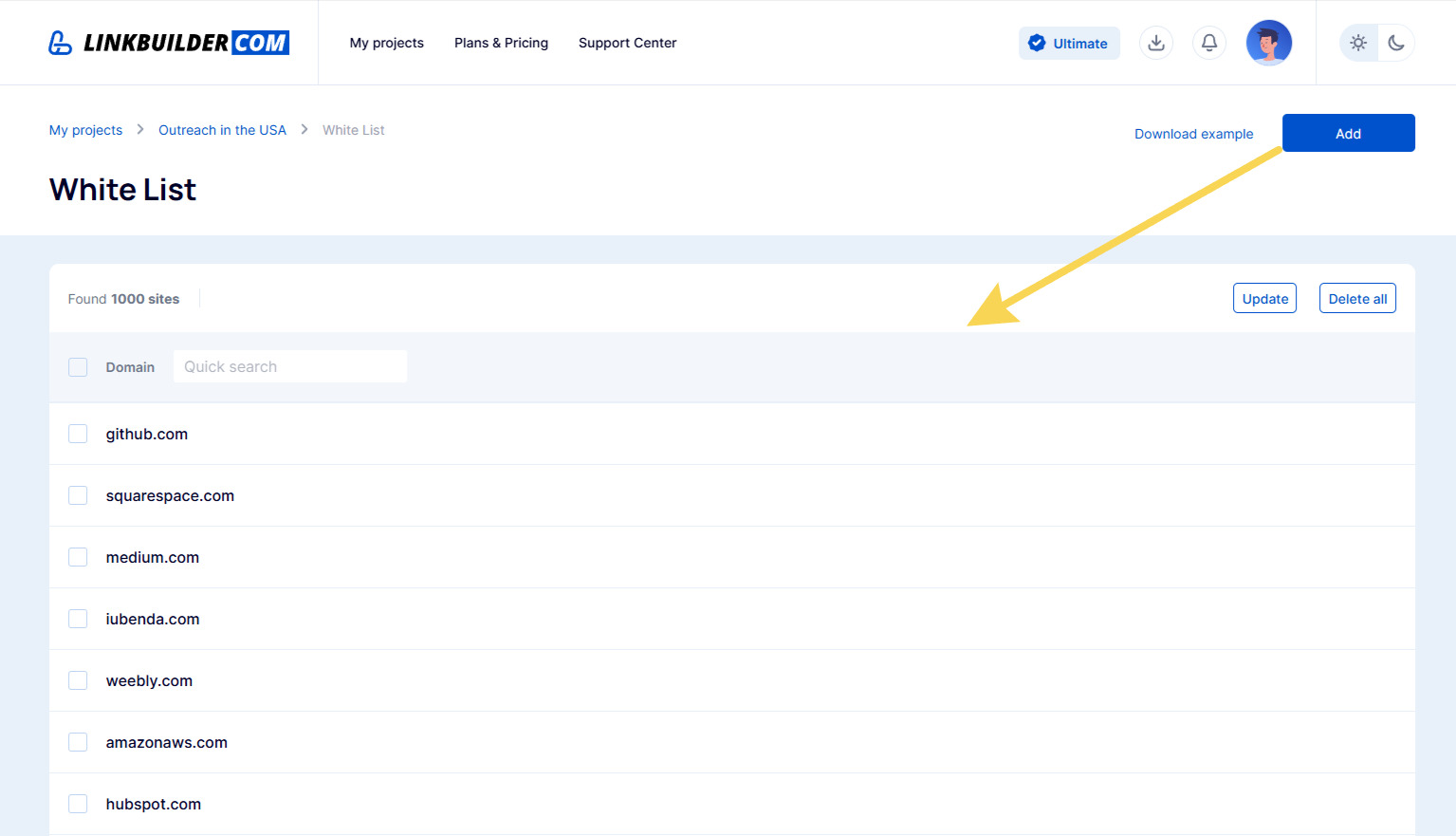
- After the data is uploaded and processed, the system will display prices for all sites from your whitelist that are in our database.
When working within a project, advanced result filtering becomes available. You can filter sites by various criteria:
- niche/category,
- country,
- language,
- domain zone,
- marketplaces,
- iGaming support (available only in the Ultimate plan),
- traffic,
- metrics like DR, DA, PA, TF, CF,
- number of backlinks.
Simply click “Create filter” and set the desired parameters. For example, here’s how filtering for the USA sites in the marketing niche, with a price up to $1,000, a Domain Rating of 60 or higher, and traffic of at least 1,000 visitors looks: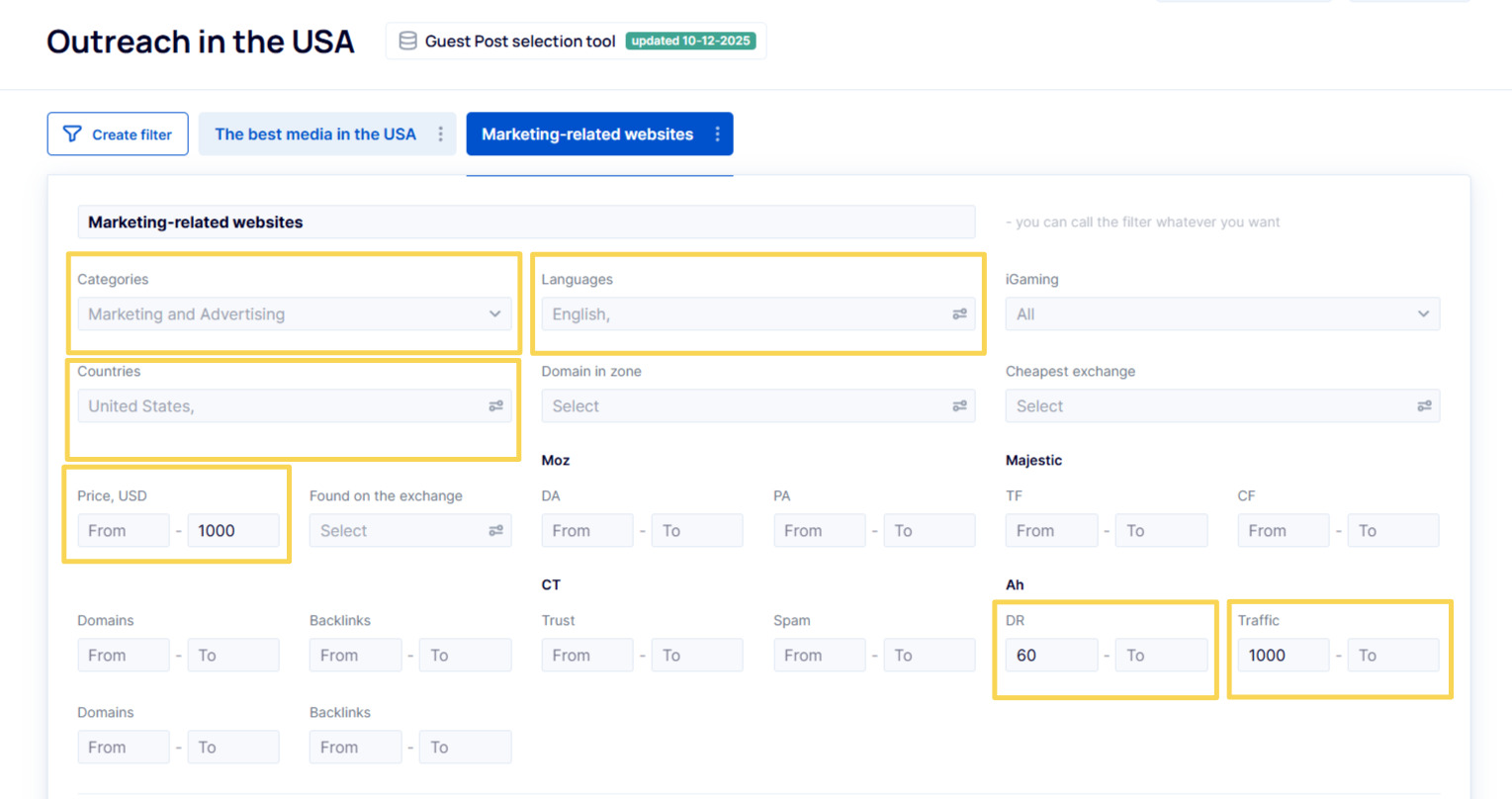
The results will be displayed in a table, allowing you to visit donor and seller sites, compare prices, and review metrics. You can sort the output by price, traffic, or other metrics.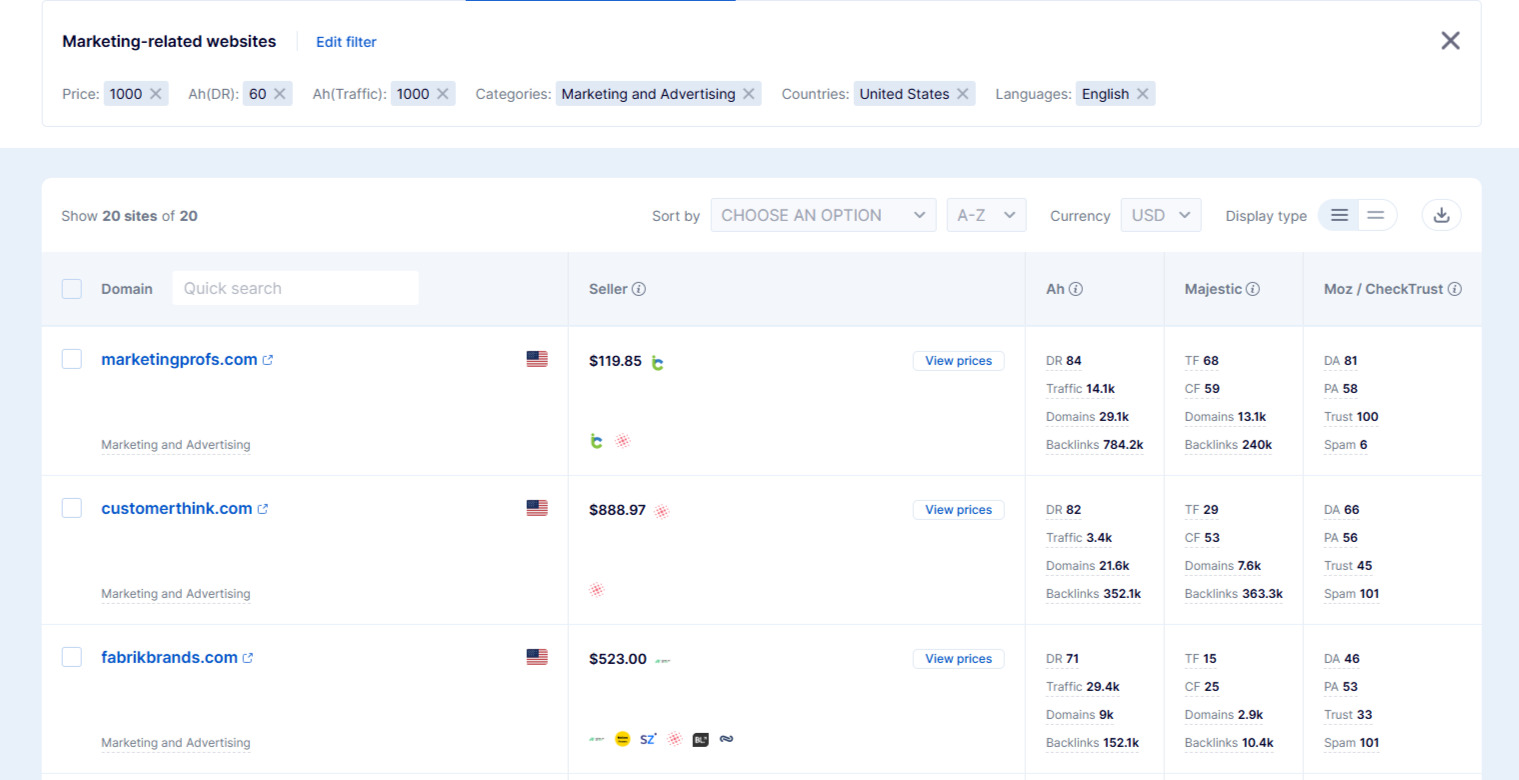
Summary
Depending on your needs, you can choose one of three methods:
- Quick Check → Use the single domain check field on the homepage.
- List Check → Use the “Bulk Search” tool.
- Professional Analysis with Filtering → Create a project and work through the “Whitelist” and filters.
All three tools allow you to efficiently evaluate websites. Simply pick the one that best matches your current needs and start analyzing.